
Send orders to Zapier, Make and other apps with webhooks
Add a webhook and Payly sends each new order, shipment, refund and subscription to Zapier, Make or any app that accepts webhooks.
A webhook sends your store's events to another app as they happen. Add one, and every paid order can reach Zapier or Make, and from there Google Sheets, Slack, your email list, your accounting app and thousands more. No code needed.
Add a webhook
- In your site dashboard, click Integrations.
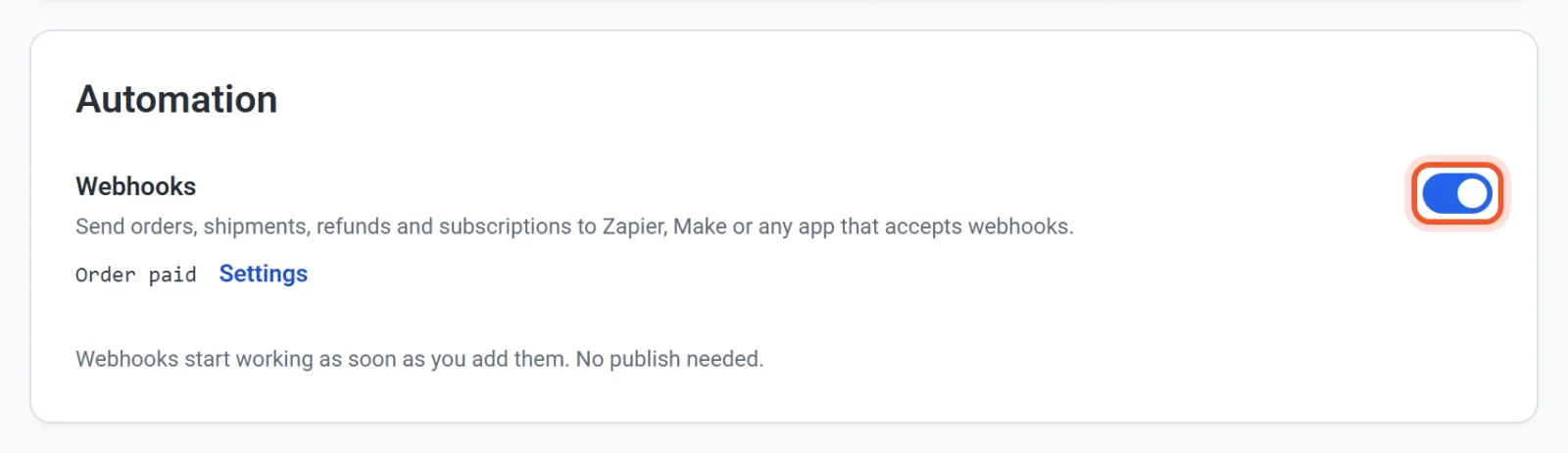
- Under Automation, turn on Webhooks. A pop-up opens.
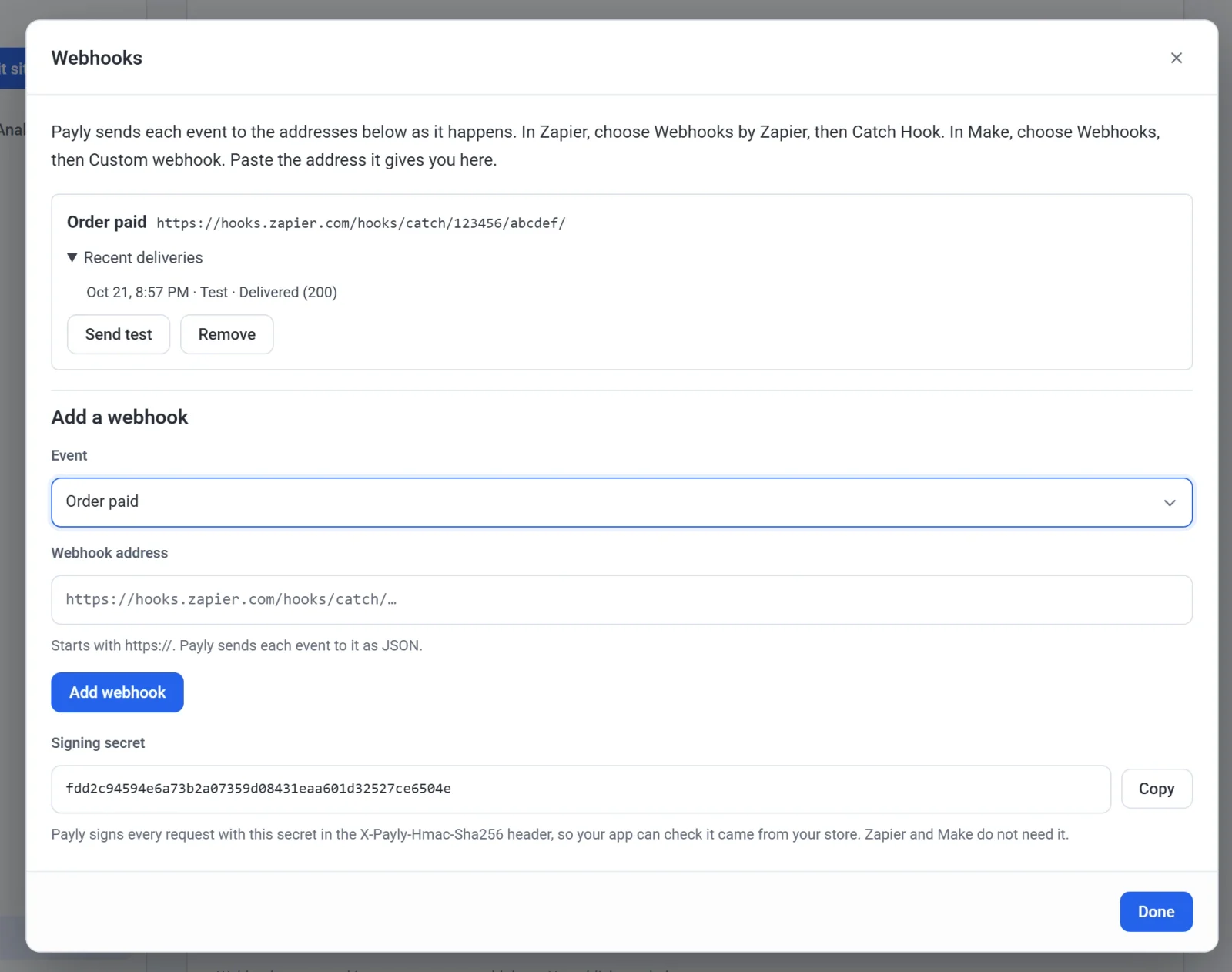
- Choose an Event, paste the Webhook address your app gave you, and click Add webhook.
- Click Send test to send a sample order, then Done.
Webhooks start working as soon as you add them. You don't need to publish.
Connect to Zapier
- In Zapier, create a Zap. For the trigger, choose Webhooks by Zapier, then Catch Hook.
- Copy the webhook URL Zapier shows you.
- In Payly, add a webhook for Order paid and paste that URL.
- Click Send test. Back in Zapier, click Test trigger. You'll see the sample order, #9999 for John Smith.
- Add the action you want, like a new row in Google Sheets, and map the fields: Order Number, Order Total, Order Customer Email and so on.
- Publish the Zap. Every paid order now runs it.
Webhooks by Zapier is one of Zapier's premium apps, so it needs a paid Zapier plan.
Connect to Make
- In Make, create a scenario. Add Webhooks, then Custom webhook, and click Add to make a new webhook.
- Copy the address Make shows you.
- In Payly, add a webhook with that address and click Send test. Make reads the sample and learns the fields.
- Add the modules you want, map the fields and turn the scenario on.
Events
- Order paid: an order is paid. This includes a subscription's first payment, each renewal, and an order you add by hand as paid.
- Order shipped: you mark an order shipped. When you ship an order in parts, each shipment is sent.
- Order refunded: money goes back, whether you refund in Payly or in Stripe or PayPal. Each partial refund is sent too.
- Subscription started: a subscription's first order.
- Subscription renewed: each payment after the first.
- Subscription ended: a subscription is canceled or runs out, on the day it ends.
What Payly sends
Each event is sent as JSON. Every order event includes:
- The order number, like #1000, its status and when it was paid
- The subtotal, discount and discount code, shipping, tax, total and amount refunded, with the currency
- Each item's name, SKU, quantity, price and line total
- The customer's name, email and phone, and the shipping address
- How it was paid, like Stripe or PayPal
test_mode, which is true for an order placed in test mode
Shipments add the carrier and tracking number. Refunds add the total refunded so far. Subscription events add the plan, its price, how often it bills and the next renewal date. A sample from Send test has "test": true. Card numbers stay with Stripe and PayPal, so they're never in a webhook.
If a webhook fails
An app has 5 seconds to answer. If it doesn't, or it answers with an error, Payly tries again up to 7 more times over about four and a half hours. The pop-up lists each webhook's recent deliveries, so you can see what happened.
If three events in a row fail every try, the webhook is paused and the Integrations screen says so. Check the address, then click Turn back on.
Check that a webhook came from your store
Zapier and Make don't need this. If you build your own app, every request has an X-Payly-Hmac-Sha256 header: the request body signed with HMAC-SHA256 using your store's signing secret, in base64. The secret is in the Webhooks pop-up. Work out the same signature from the raw body and compare the two.
The X-Payly-Webhook-Id header stays the same when a delivery is tried again, so your app can skip one it has already handled.