
Delete your Payly account
Permanently delete your Payly account from Settings, after you delete the sites you own.
You can delete your Payly account at any time. Deleting it is permanent, so read what it removes before you start.
Before you delete
- Delete your sites first. Payly won't delete an account that still owns a site, because deleting a site is also what removes your store from your Cloudflare account. See Delete a site.
- Deleting can't be undone. You can't sign in to the account again, and it can't be restored.
What deleting removes and what it keeps
Deleting your account removes:
- Your sign-in, including a Google or Facebook sign-in linked to it.
- Your settings, such as your name, language and theme.
- Your account team. People you invited lose access, and you lose access to sites other people invited you to.
- Your place on Payly's email list.
Deleting your account keeps:
- Your Cloudflare, Stripe and PayPal accounts. They're yours, and Payly doesn't delete anything in them.
- Your support requests, so our replies stay on record.
- Your accounts as a shopper at Payly stores. They're separate from your Payly account.
Delete your account
- Delete each site you own. See Delete a site.
- Open the account menu at the top right and click Settings.
- Under Delete account, click Delete account. If you still own a site, Payly lists it here instead, with a Go to Your sites button.

- Read the message in the Delete your account? dialog, then type
DELETEin capital letters. The Delete account button stays disabled until the word matches.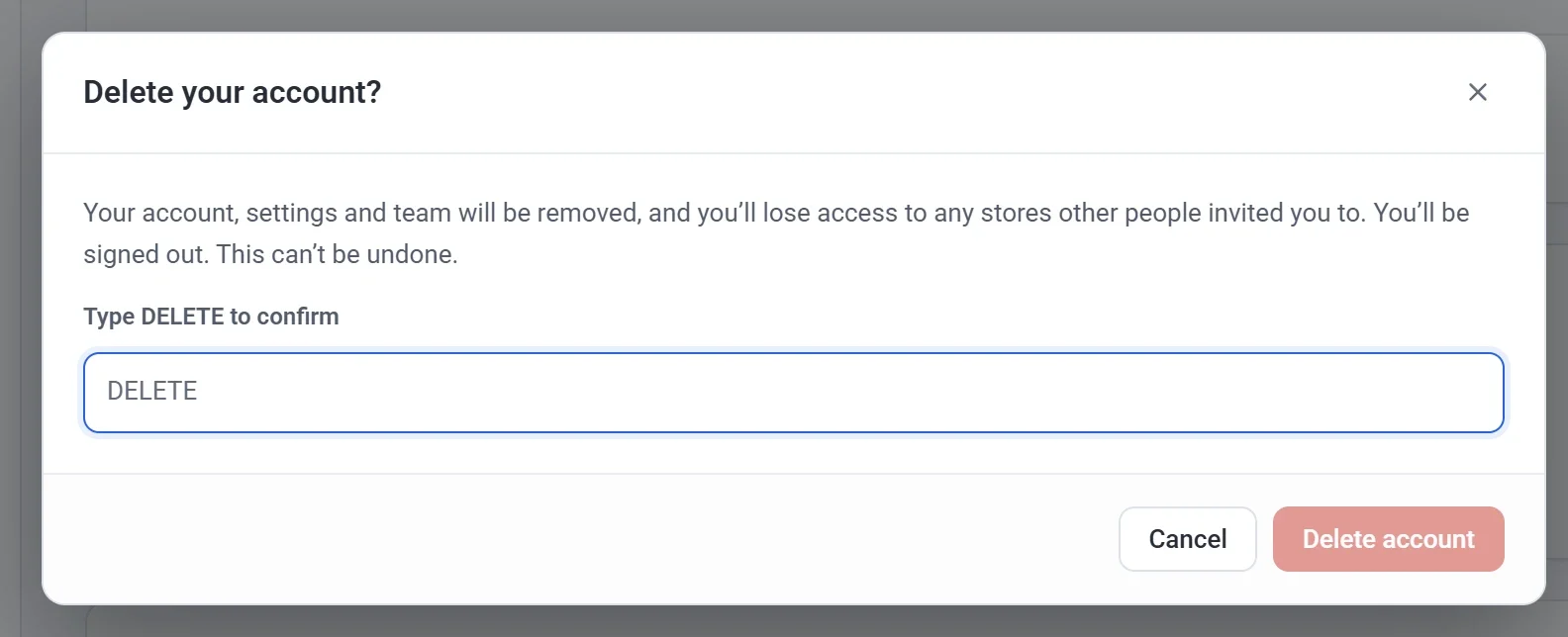
- Click Delete account. Payly deletes your account, signs you out and emails you to confirm.
If you change your mind later
You can sign up again with the same email address at any time. You start with a new, empty account, and nothing from the deleted one comes back.