
Renewals and failed payments
How subscription renewals are charged and recorded, what happens when a renewal payment fails, and what you can do about it.
A renewal is every subscription payment after the first. You do not have to do anything for it to happen: Stripe or PayPal charges the customer on schedule, and Payly records the payment. This article explains what you see at each renewal, and what happens when a payment fails.
What happens at each renewal
- On the renewal date, Stripe or PayPal charges the payment method the customer saved when they subscribed. Payly never charges a renewal itself.
- The payment is recorded as a new order. It appears at the top of the Orders list like any other order.
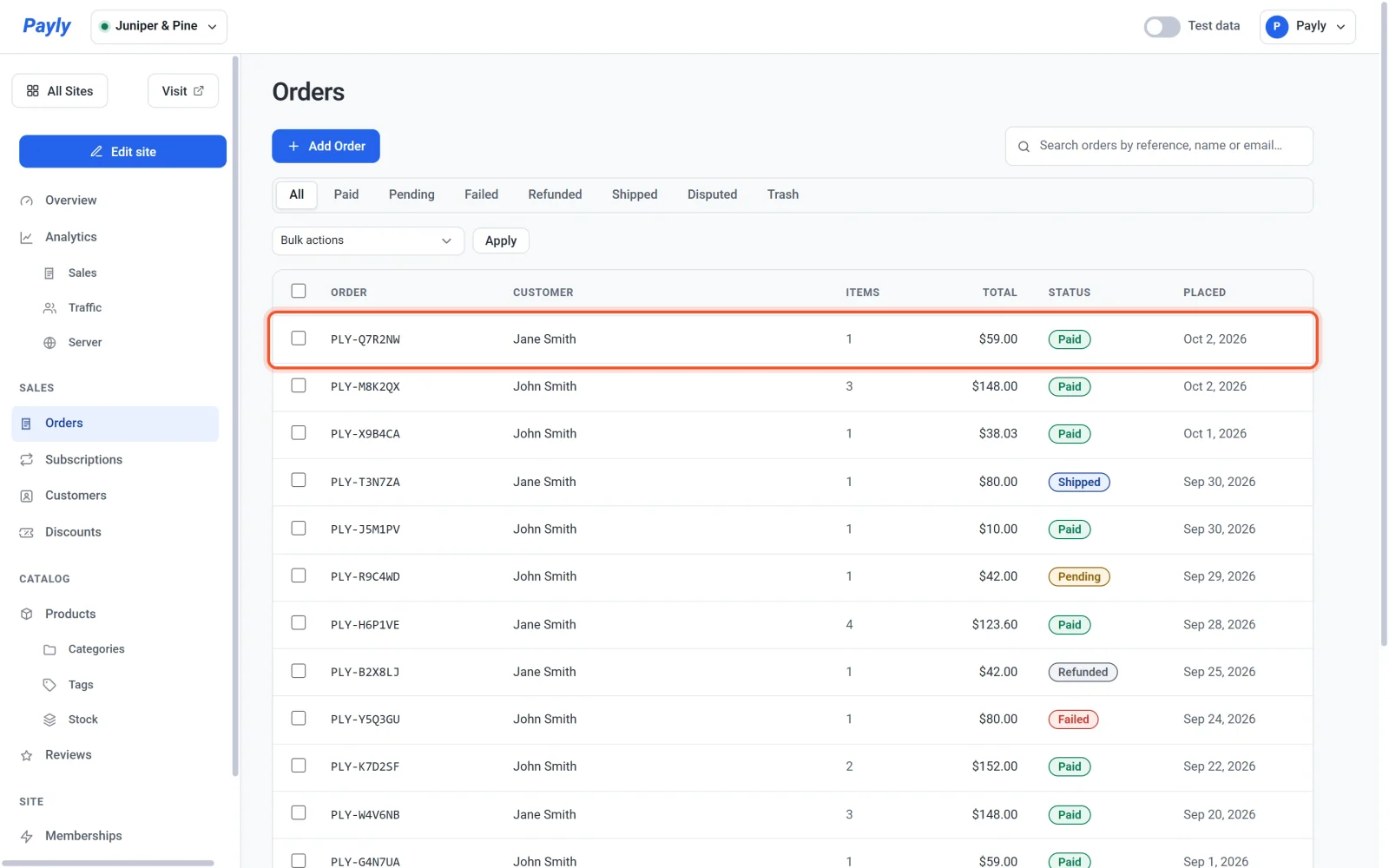
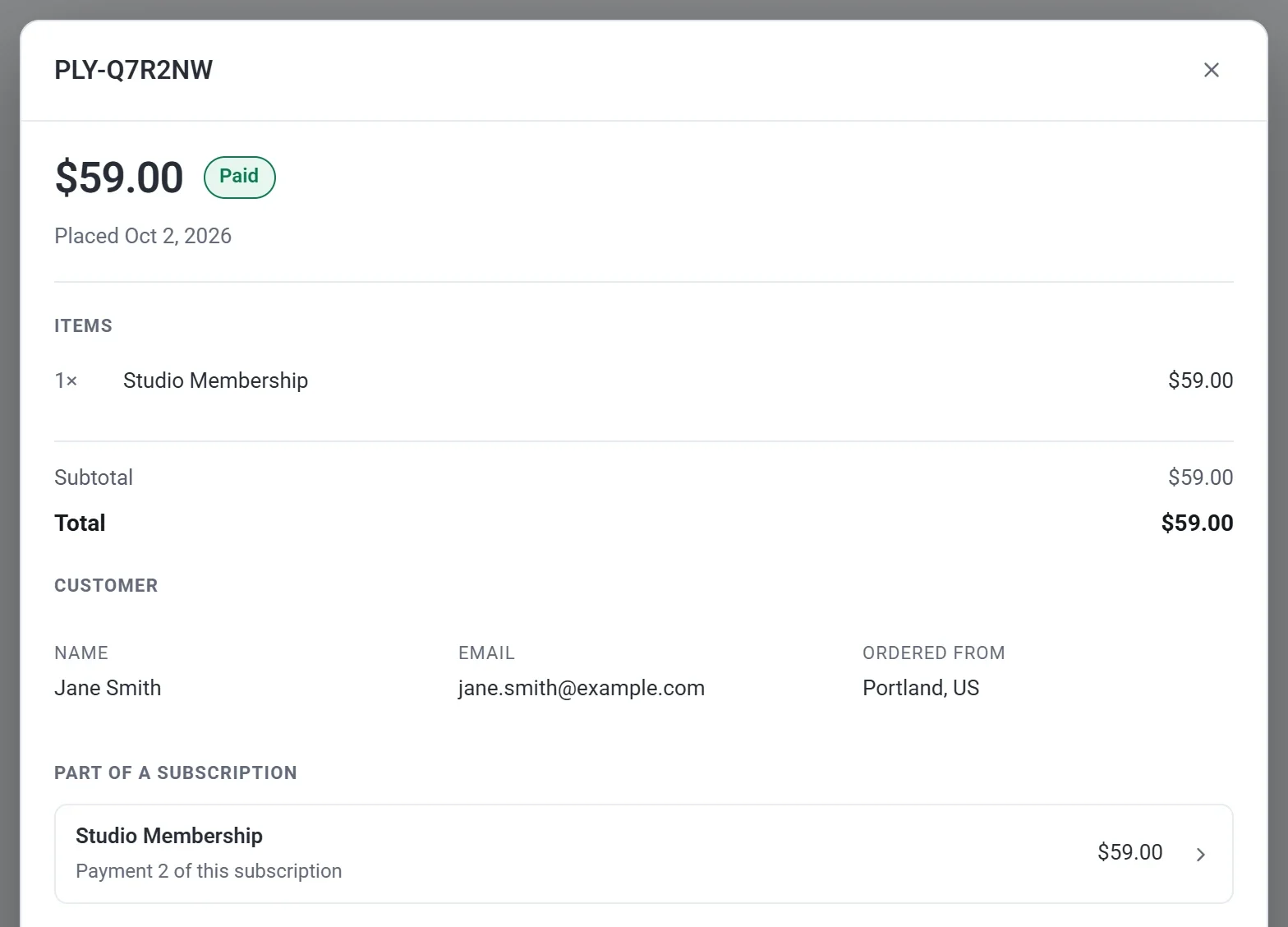
- Click the order to open it. Its Part of a subscription section names the plan and says which payment this is, such as Payment 2 of this subscription. Click that section to open the subscription.
- The payment is added to the subscription's Payment history, and the Renews date moves to the next payment. See View and manage subscriptions.
- The customer is emailed a Subscription renewed message with the items and the total for that payment. The first payment is not a renewal, so it gets the normal order confirmation instead.
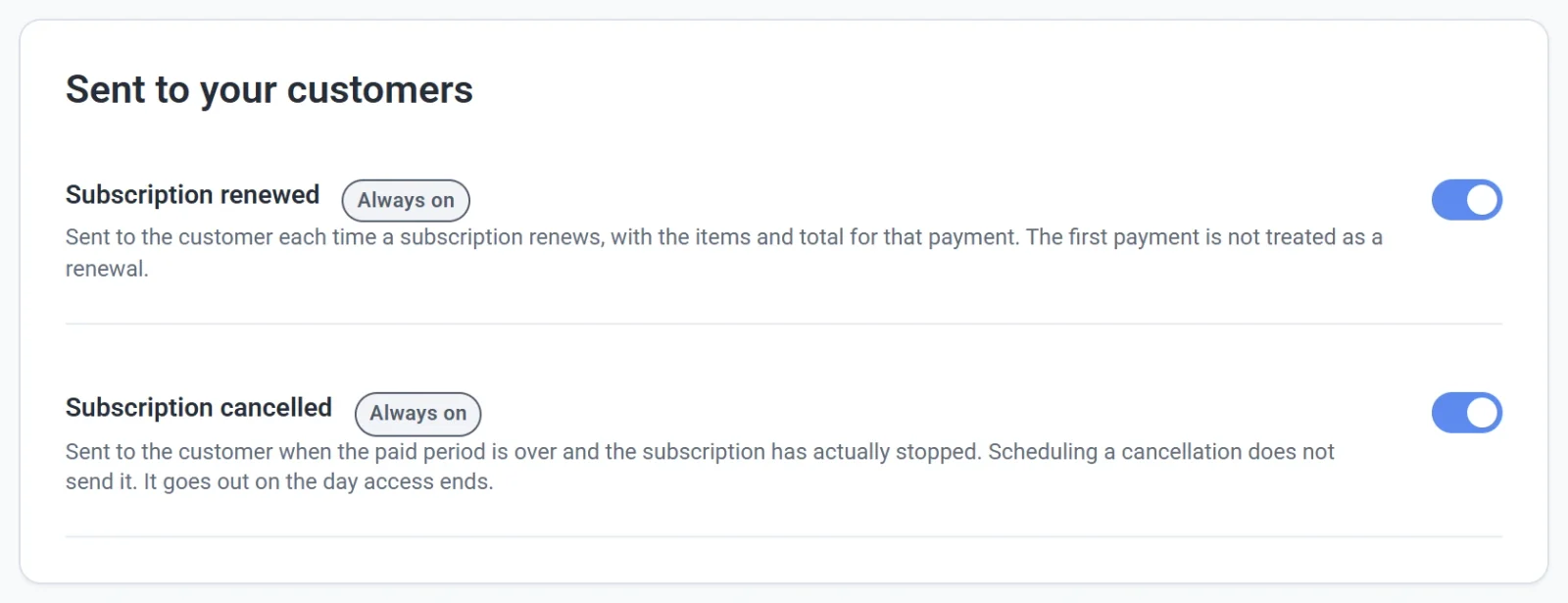
These emails are on for every store and cannot be turned off. You find them in Settings > Emails. See Choose which emails you receive.
Before a free trial ends
When a subscription has a free trial, Stripe tells Payly three days before the trial turns into the first charge, and Payly emails the customer a Free trial ending reminder. It says the date and the amount that will be charged, and that they can cancel before then. PayPal sends no such notice, so PayPal subscribers do not get this email. See Free trials and sign-up fees.
When a renewal fails
A renewal can fail when a card has expired, has been replaced, or has no money available. When it does:
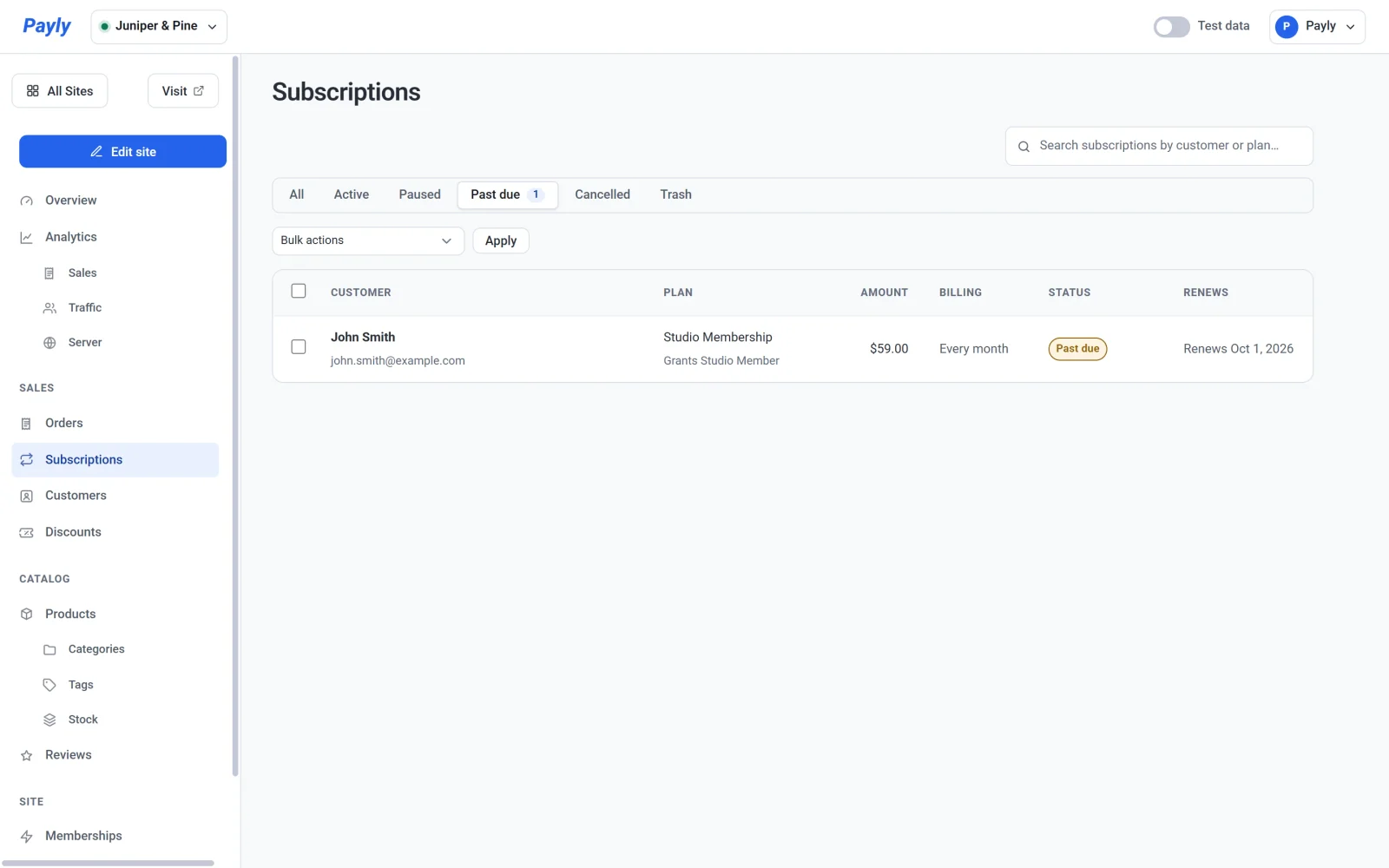
- The subscription's status changes to Past due. It appears under the Past due tab of the Subscriptions screen, and the tab shows how many there are.
- Stripe or PayPal tries the payment again on its own schedule. Payly does not retry payments.
- While the payment is being retried, the customer keeps any membership level the subscription grants.
- The customer is emailed Your payment was unsuccessful after each failed attempt. The email says the payment was declined and that nothing has been cancelled. It also says when the payment will be tried again, or that it will be tried again over the next few days, and it has a View your subscription button that opens their account.
- The email also tells the customer to reply if their card has changed. Replies are sent to your account email address, so watch for them.
If the payment goes through later
When a retry works, the payment is recorded like any other renewal, and the subscription returns to Active.
If it keeps failing
How many times a payment is retried, and what happens when the retries run out, is decided by Stripe or PayPal and the settings of your own account there. Payly follows what they report. When the subscription ends, its status becomes Cancelled, any membership level it granted ends, and the customer is emailed that their subscription has ended.
A subscription that has a set length ends in the same way after its last payment. See Sell a subscription product.
What you can do
- Open the Past due tab now and then, and contact customers whose payments are failing.
- Open a subscription and use the links to see it in Stripe or PayPal, where you can check the failed payment.
- Pause or cancel a subscription if the customer asks. See View and manage subscriptions.
- Refund a renewal from its order if it was charged in error. See Refund an order.