
What does Payly cost?
Payly charges no monthly fee, no transaction fee and no commission. See what is included, the few costs that come from other companies, and what Cloudflare's free plan covers.
Payly is free to use. This article lists what Payly does not charge, the costs that come from other companies, and the limits of the free Cloudflare plan that your store runs on.
What Payly does not charge
- No monthly fee. There is no paid plan and no trial that ends.
- No transaction fee. Payly adds nothing to the price of an order.
- No commission. Payly takes no share of your sales. Customers pay your own Stripe or PayPal account, and the money goes straight to you.
- No features held back. Every feature is available to every store.
Payly can work this way because it is an official PayPal and Stripe partner, and that partnership lets Payly run the platform without charging you. Your store is hosted in your own Cloudflare account, so there is also no hosting bill for Payly to pass on.
What other companies charge
A store still has a few costs. They are paid to the company that provides each service, never to Payly.
| Cost | Who charges it | What to know |
|---|---|---|
| Payment processing | Stripe and PayPal | Each charges its own standard fee on every payment. Payly does not add to it. See Stripe pricing and PayPal business fees. |
| Hosting | Cloudflare | Your store runs on Cloudflare's free plan, which costs nothing. See the next section for its limits. |
| A domain name (optional) | A domain registrar | Your store has a free address that ends in workers.dev. If you want an address of your own, you buy the name from a registrar. Connecting it to your store is free. |
The limits of the free Cloudflare plan
Payly puts no limits on your store. Cloudflare's free plan comfortably covers most stores, and if yours ever outgrows it, Cloudflare's paid Workers plan costs $5 a month. This table shows roughly what each plan covers.
| Free plan | Paid plan, $5 a month | |
|---|---|---|
| Visitors | About 5,000 a day | About 16,000 a day, then $0.30 per extra million requests |
| Products | About 1,500, with a photo each | About 30,000, with a photo each |
| Orders | No limit | No limit |
| Photos and files | 500 MB per store, about 1,500 photos | 10 GB per store, about 30,000 photos (5 GB included, then $0.75 per GB a month) |
| Pages | 20,000 per store | 100,000 per store |
| Stores per Cloudflare account | 10 | 50,000 |
Products take almost no room on their own; it is their photos that count. Orders, customers and subscriptions are kept by Payly, so they are never limited. Visitor numbers are estimates for a typical store. The other figures are Cloudflare's limits as published in October 2026; see Cloudflare Workers pricing for the current ones.
The Server tab of Dashboard & Analytics shows how much of the free plan your store uses today. Serving ordinary pages is free and unlimited. What counts are the requests that run your store's code: the visit counter on every page, shop and product pages, the photos you uploaded, checkout, sign-in and forms. The tab also shows how much storage your photos and files use. The daily count resets at midnight UTC.
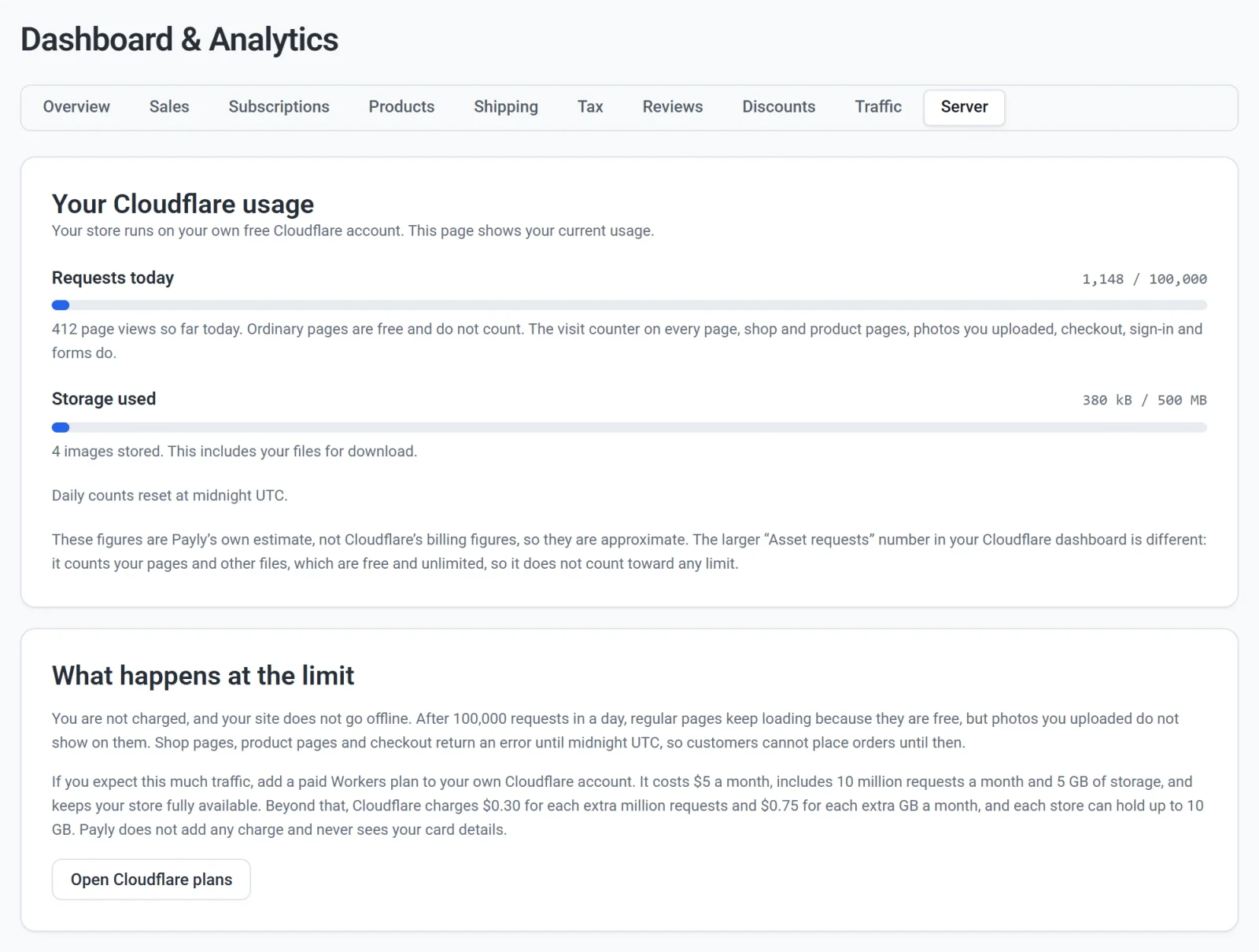
If your store ever reaches the daily limit, you are not charged and your site stays online. Regular pages keep loading, but shop pages, product pages and checkout return an error and the photos you uploaded do not show until midnight UTC, so customers cannot place orders until then. To avoid that, you can add a paid Workers plan to your own Cloudflare account for $5 a month. You pay Cloudflare directly, and Payly adds no charge. See Server usage and Cloudflare limits.
What you need before you start
You need a Payly account, a Cloudflare account, and a Stripe or PayPal account. Payly and Cloudflare do not ask for a card when you sign up. See How Payly works for how the pieces fit together.