
Turn features on and off
Switch off reviews, memberships or forms if your store does not use them, and set what customers can do with their subscriptions.
Payly includes reviews, memberships and forms for every store, and all three start switched on. If your store does not use one of them, you can switch it off on the Features tab. The feature then disappears from your menu and from your published site. Nothing is deleted, and you can switch it back on at any time.
Open the Features tab
- In your site dashboard, click Settings.
- Click the Features tab.
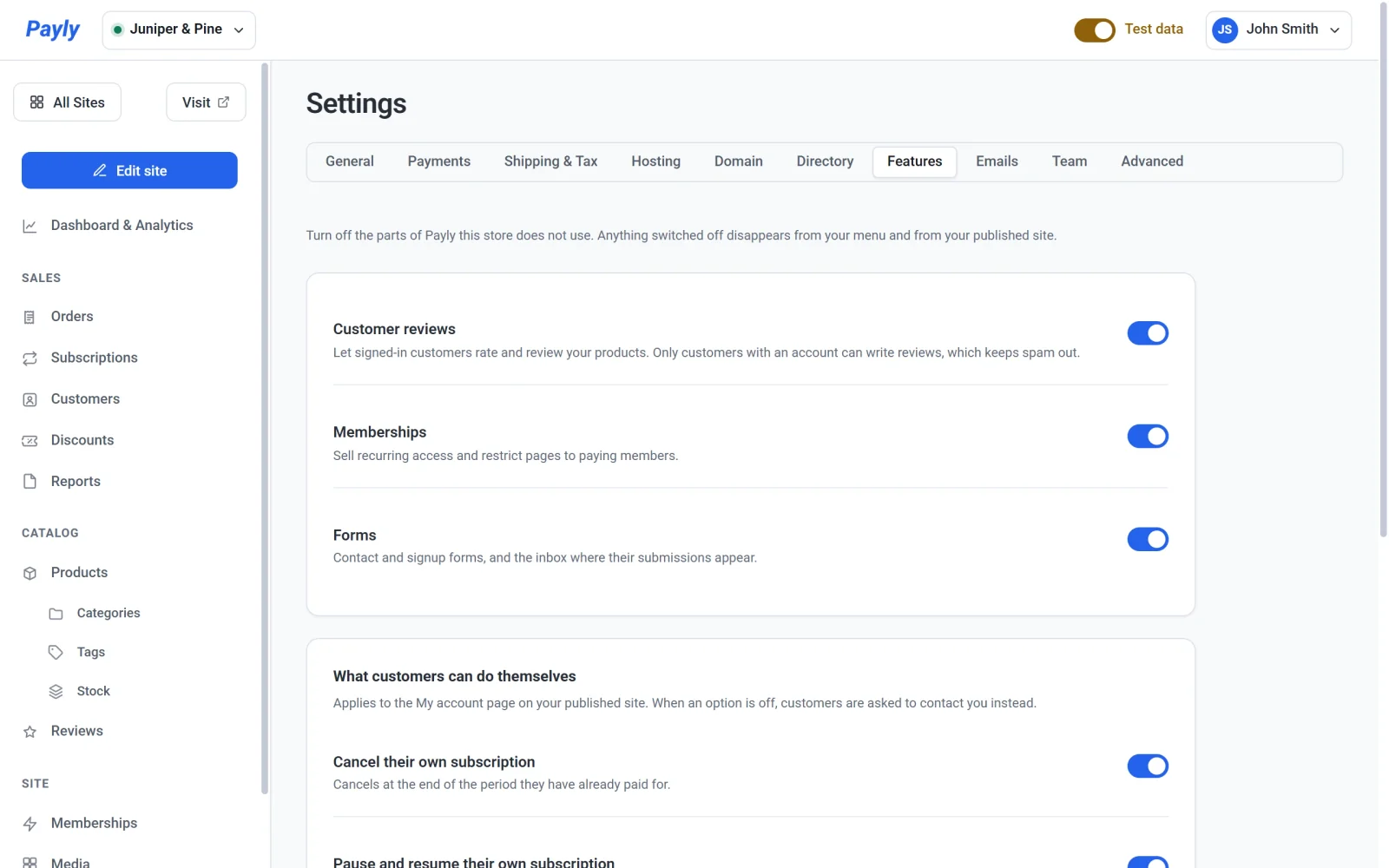
What each switch controls
- Customer reviews lets signed-in customers rate and review your products. When it is off, Reviews leaves your menu, and star ratings and review forms stop appearing on your product pages. See Collect and moderate product reviews.
- Memberships covers recurring access and members-only pages. When it is off, Memberships leaves your menu. See Make pages members-only.
- Forms covers contact and signup forms, and the inbox where their messages appear. When it is off, your forms stop appearing on your published pages and your store no longer accepts messages from them. The Forms item in your menu only shows while the Contact form email is switched off in Settings > Emails. See Add a contact form.
Turn a feature off
- On the Features tab, click the switch beside the feature.
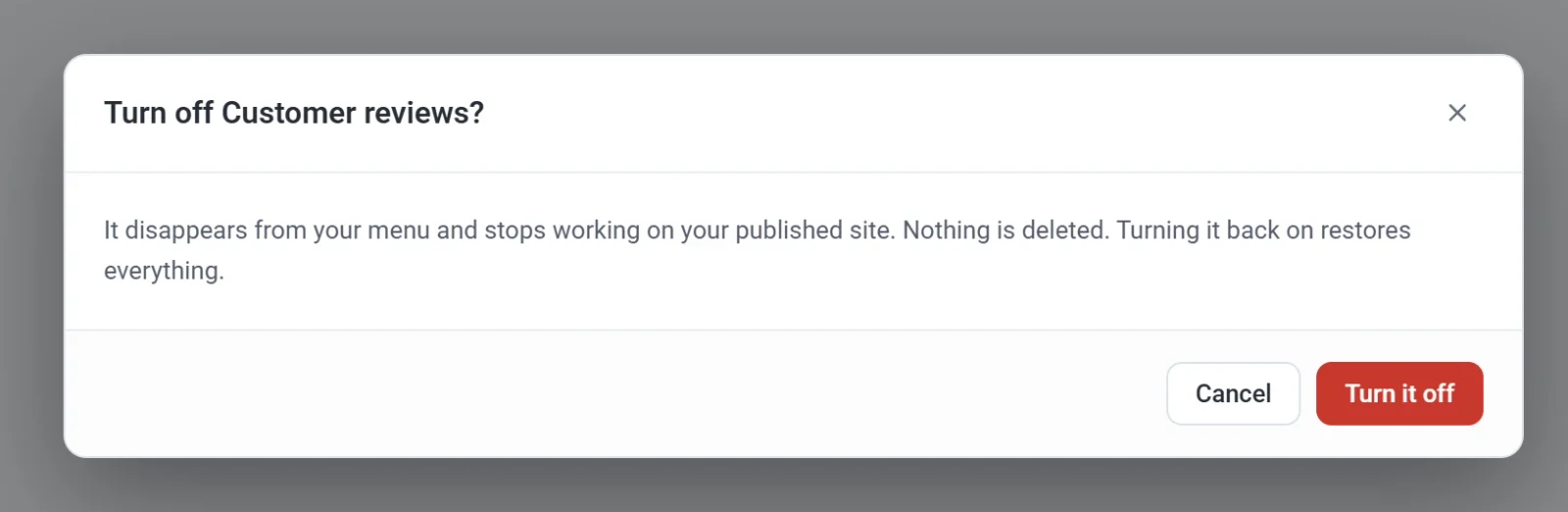
- Read the message that names the feature, then click Turn it off.
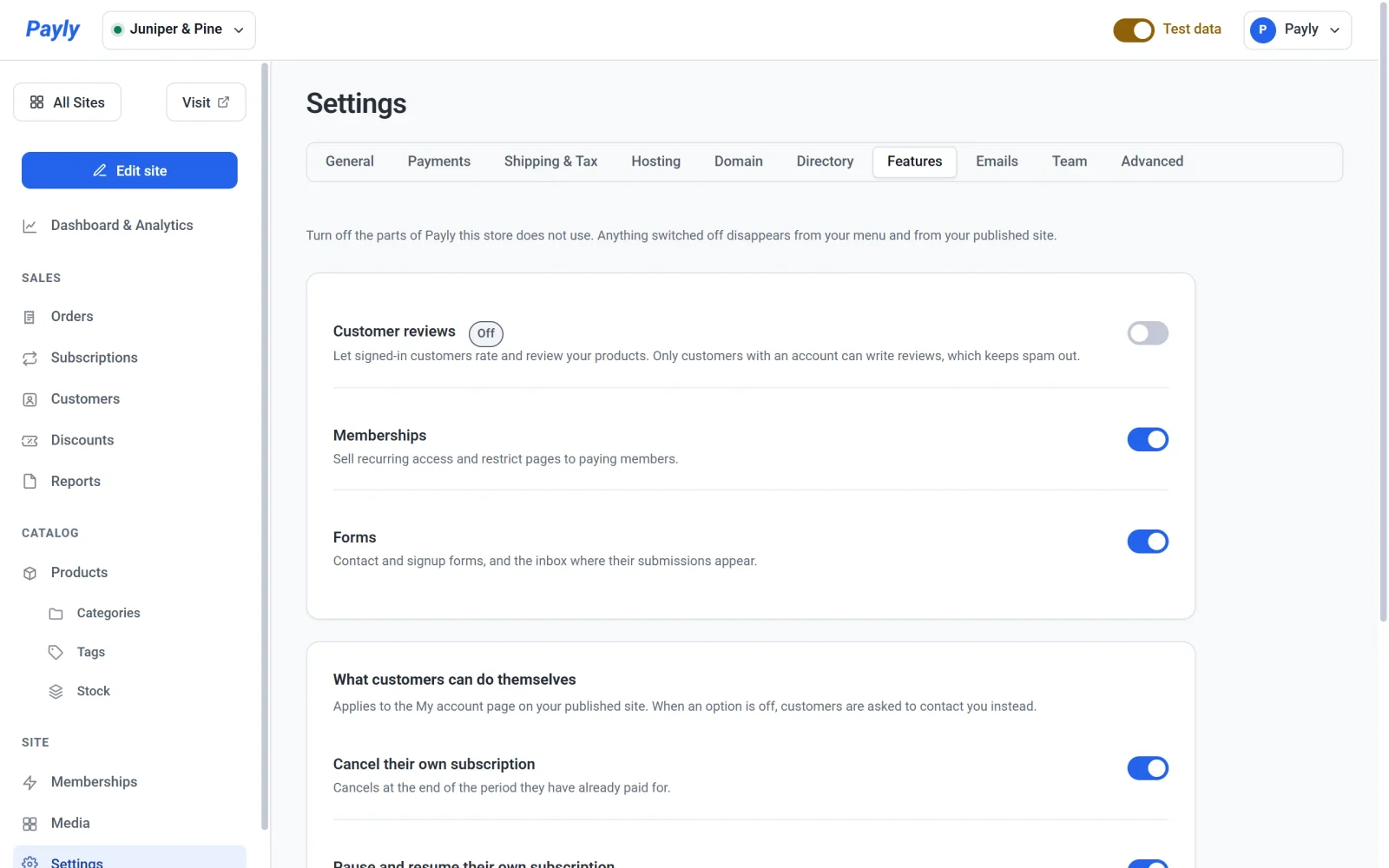
- Check the result. An Off label appears beside the feature, and its item disappears from the menu on the left. Payly saves the change at once.
- Publish your store again so that your live pages stop showing the feature.
To turn a feature back on, click its switch again. No confirmation is needed, and everything you had returns.
Important: You cannot turn off Memberships while any page is still members-only, because the page would become public. Payly tells you how many pages are affected. Remove the restriction from each page first, then try again.
Other settings on this tab
Below the three switches you find settings for how some features behave. They also save as soon as you change them.
- What customers can do themselves decides whether customers can Cancel their own subscription and Pause and resume their own subscription from their account page. Both are on to start with. When one is off, customers are asked to contact you instead. See How customers manage their subscriptions.
- Let customers switch plans is off to start with. Turn it on to let customers move between plan options, such as Monthly and Yearly, and to choose how a switch is charged. See Let customers switch plans.
- New reviews appears while reviews are on. Choose Publish immediately or Hold for my approval.