
Let customers switch plans
Let subscribers move between your plan options, such as Monthly and Yearly, from their account, and choose how a switch is charged.
When a subscription product has plan options, such as Monthly and Yearly, you can let subscribers move between them on their own. They do it from their account, so they do not need to contact you or cancel and subscribe again. This is off until you turn it on.
Before you start
- Set up a subscription product with plan options. See Offer monthly and yearly plans.
- Customers can switch only between the options of the same product, not from one product to another.
Turn on plan switching
- In your site dashboard, go to Settings > Features.
- Find Let customers switch plans and turn on its switch. The settings below open.
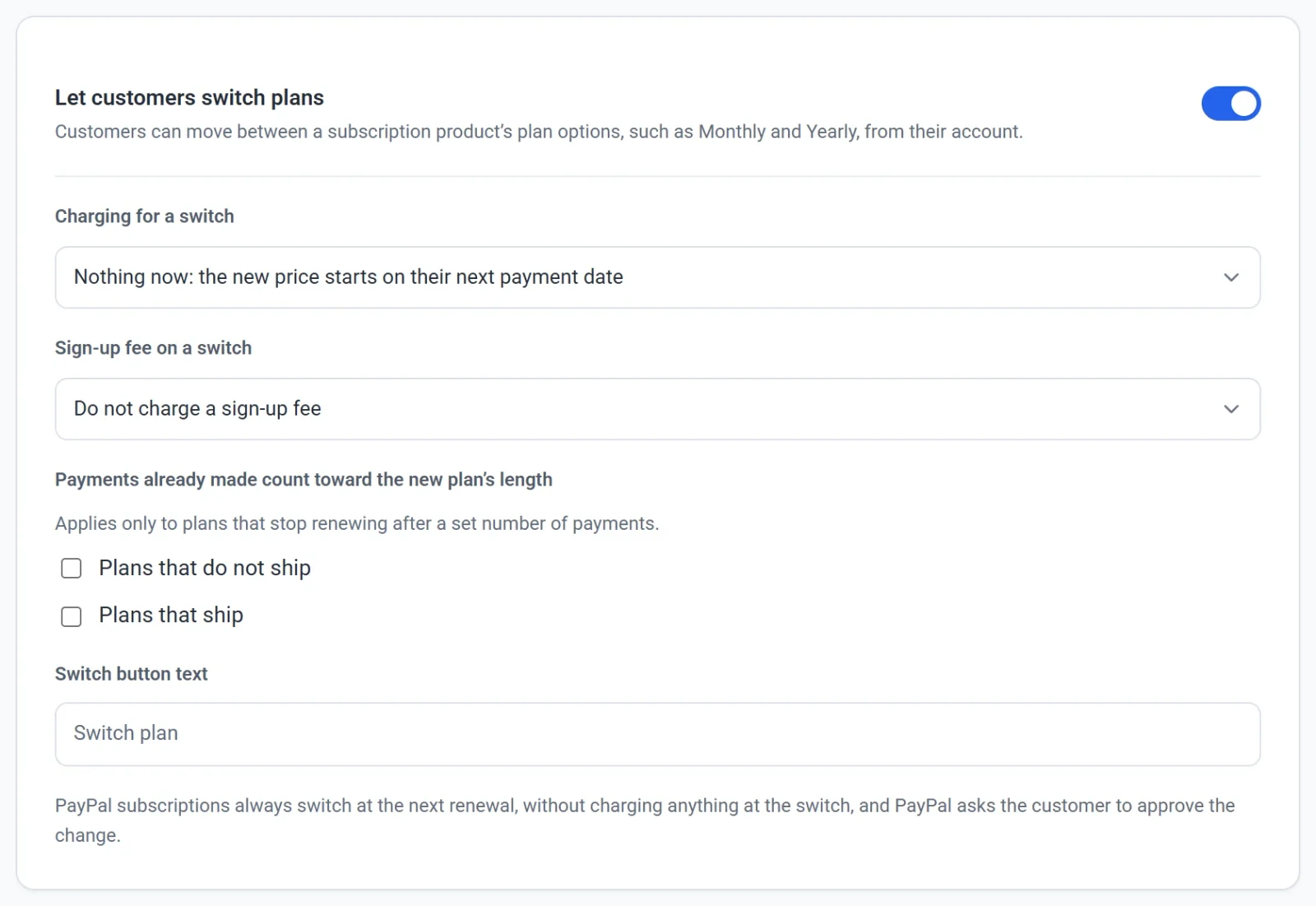
- Under Charging for a switch, choose how a switch is charged (see below).
- Under Sign-up fee on a switch, choose whether the new plan's sign-up fee is charged.
- If some plans stop renewing after a set number of payments, decide whether payments already made count toward the new plan's length.
- In Switch button text, enter your own wording for the button customers click. Leave it empty to use Switch plan.
Each change saves as you make it.
Choose how a switch is charged
| Choice | What happens |
|---|---|
| Nothing now: the new price starts on their next payment date | The default. The customer pays nothing at the switch, and is charged the new price when their next payment is due. |
| Charge the price difference on upgrades for the rest of the period | If the new plan costs more per day, the customer pays the difference now for the days left in the period they have paid for. |
| Charge the difference on upgrades, and credit the unused amount of a downgrade on the next payment | As above, and when the new plan costs less per day, the unused part of the old plan is credited, so the next payment is taken later. |
When you pick one of the last two choices, two boxes appear under Apply this when they switch to: Plans that do not ship and Plans that ship. Both are ticked at first. Untick one to skip the adjustment for that kind of plan.
Payly decides whether a switch is an upgrade or a downgrade by comparing the price per day of the two plans. A yearly plan that costs less per day than a monthly one counts as a downgrade when a monthly subscriber moves to it, and as an upgrade in the other direction.
What customers do
- The customer signs in to their account on your store and finds the subscription.
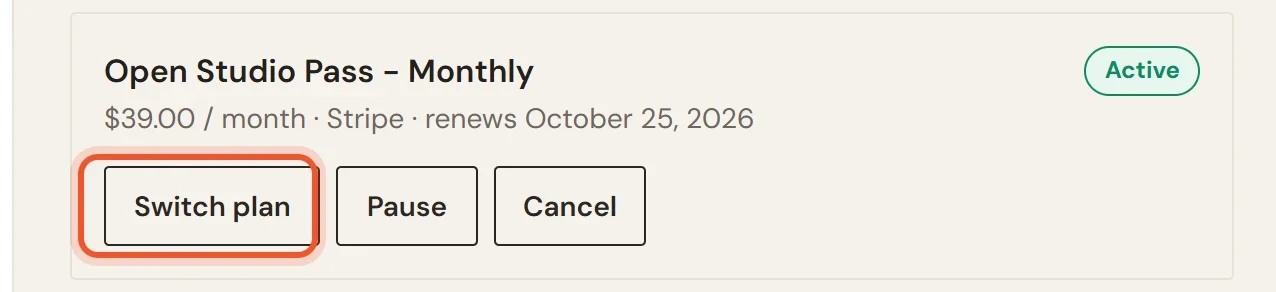
- They click Switch plan (or your own button text). The button is on the subscription's card, next to Pause and Cancel.
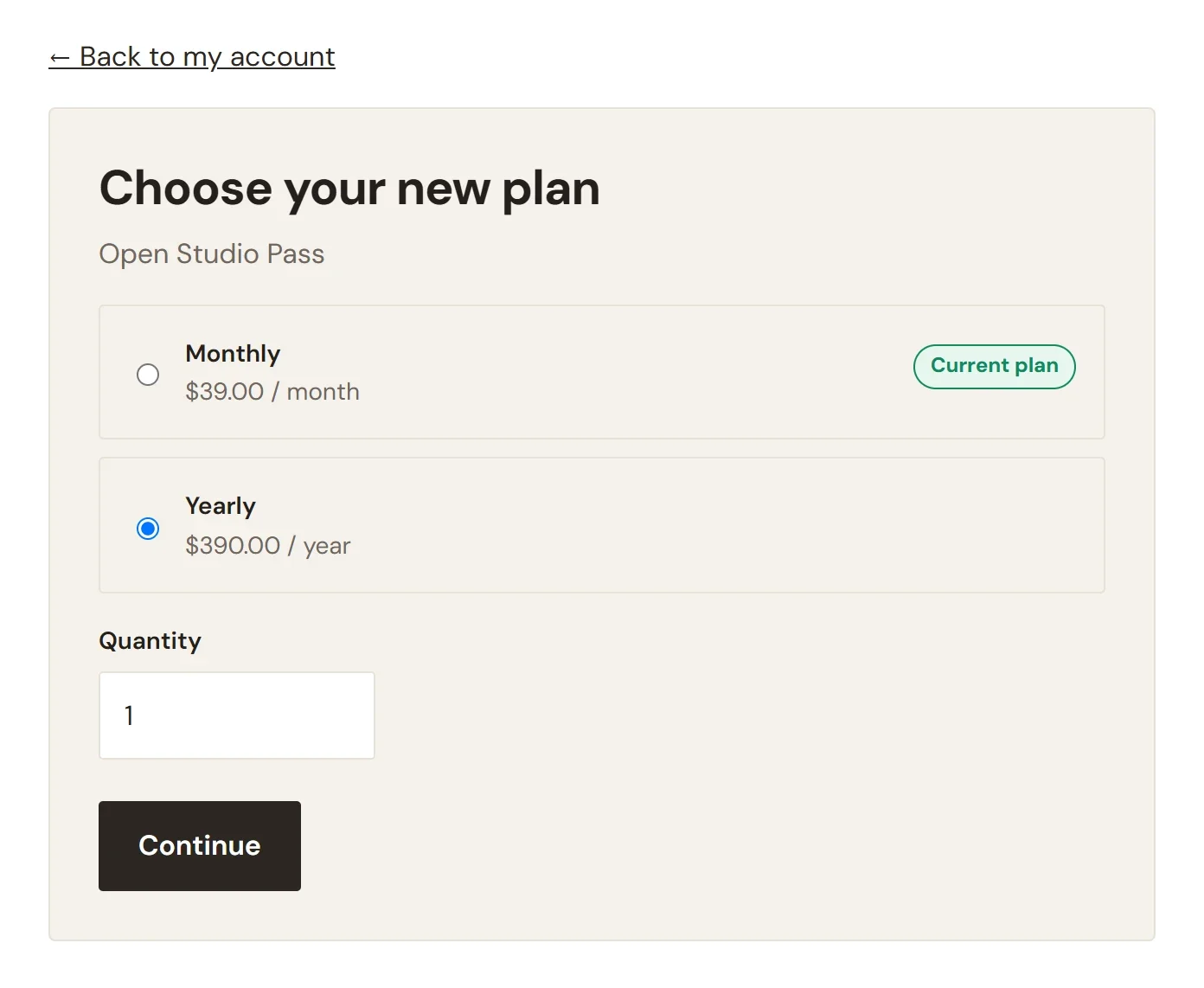
- They choose the new plan from the list, which shows each plan's price and marks their Current plan, then click Continue. A Quantity box appears below the list unless the product is sold one at a time.
- A review page labels the change Upgrade, Downgrade or Plan change. It says what is due today, or that Nothing is charged today, and when the new plan is first charged.
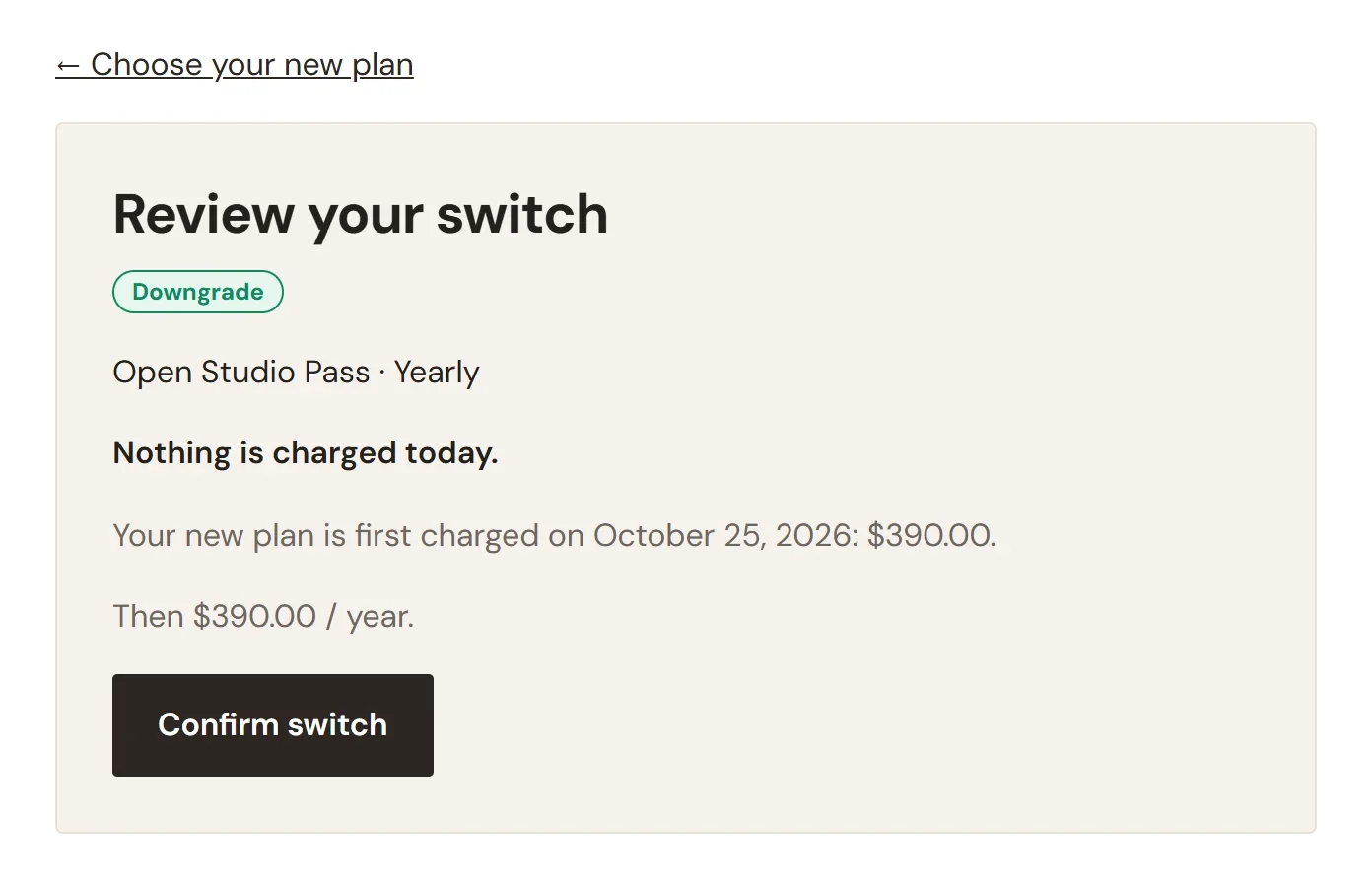
- They click Confirm switch.
The review page in the picture is for a subscriber who moves from Monthly ($39.00 a month) to Yearly ($390.00 a year). The yearly plan costs less per day, so the page calls the change a Downgrade, even though the customer is committing to a longer period. With the default charging choice, nothing is charged until the date the next monthly payment was due, and the first yearly payment is taken then.
When the button does not appear
- The subscription is paused, past due, cancelled or set to end. Only active subscriptions and subscriptions in a free trial can switch.
- The product has no plan options.
- Plan switching is turned off.
If the customer pays with PayPal
A PayPal subscription always switches at the next renewal. Nothing is charged at the switch, PayPal asks the customer to approve the change, and the charging and sign-up fee settings above do not apply to it. Stripe subscriptions follow your settings.
The membership level belongs to the product, so a customer who switches plans keeps the same level.