
Why your store runs on your own Cloudflare account
Payly publishes your store into a Cloudflare account you own. Learn what that means, who does what, what it costs and what limits apply.
Many website builders host your store on their own servers. Payly does not. It helps you build the store, then publishes it into a Cloudflare account that belongs to you. This article explains what that means and what it changes for you.
What "your own account" means
Cloudflare is a company that runs a worldwide network for delivering websites. You create a free Cloudflare account, connect it to Payly once, and Payly deploys your store into it each time you publish. From then on:
- Your pages and images are stored in your Cloudflare account, under your name.
- Cloudflare delivers your store to customers from its own network.
- Your store gets a free
workers.devaddress, and you can attach a domain of your own. - You can see your store in your Cloudflare dashboard, where it appears as a Worker named after your store handle.
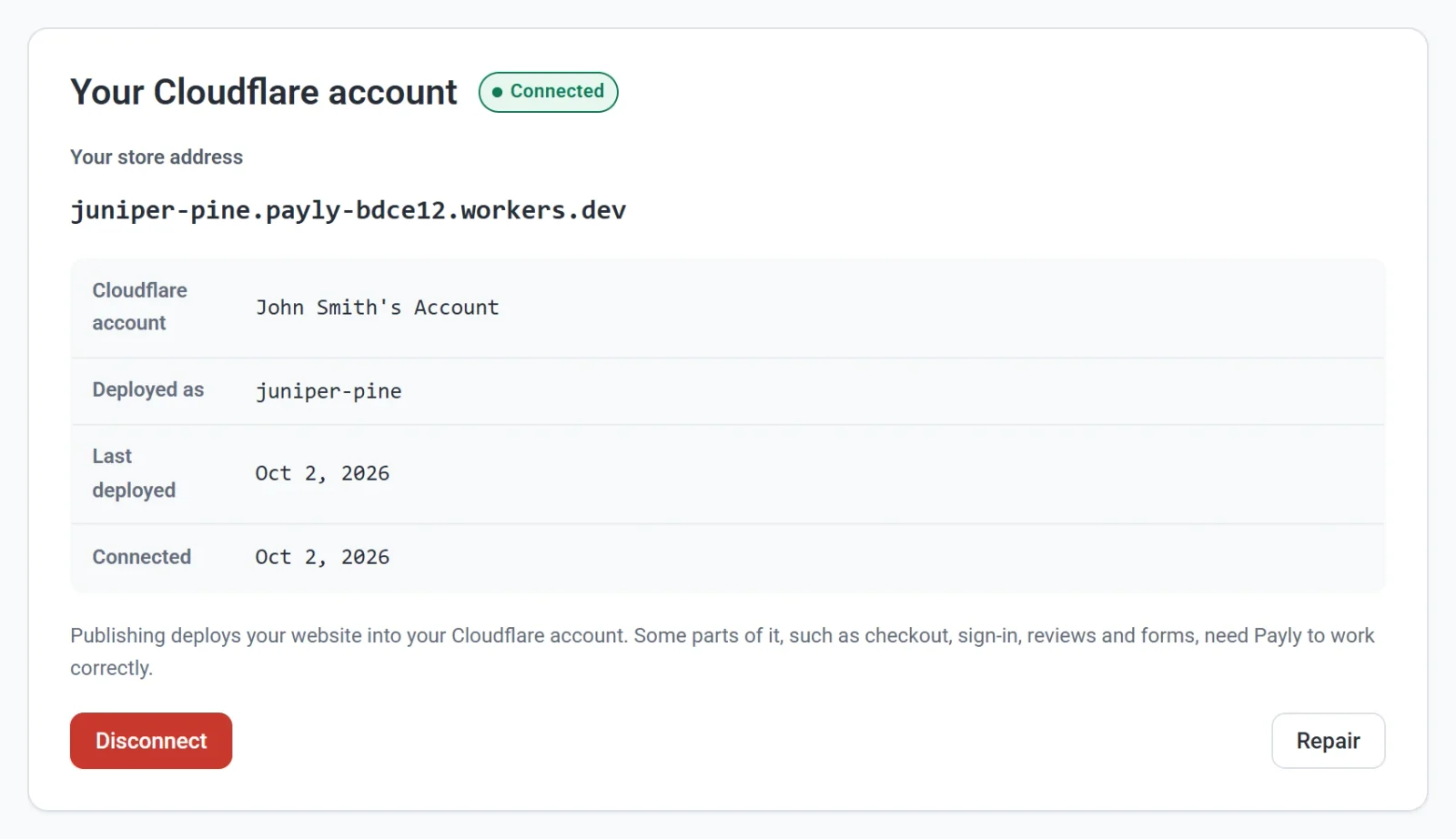
To set it up, read Connect your Cloudflare account.
Who does what
| Service | What it does for your store |
|---|---|
| Payly | Where you build and manage the store: the editor, products, orders, customers, discounts, reports and settings. Some parts of the live store, such as checkout, sign-in, reviews and forms, also need Payly to work correctly. |
| Cloudflare | Hosts your pages and images, serves them to your customers and gives your store its address. |
| Stripe and PayPal | Take your customers' payments into your own accounts. |
What you gain
- You own the hosting. The account, the plan and everything running in it are yours. Payly adds no hosting charge.
- It can cost nothing. Cloudflare's free plan is enough to start. Payly's prompts say that no credit card is required.
- Your address is yours. You can attach your own domain inside your account. See Connect a custom domain.
- You are not locked in. If you disconnect Cloudflare, nothing is deleted and your store stays online. Payly can no longer update it until you connect again.
What the free plan limits
Cloudflare's free plan has a daily limit on how much work your store can ask of it. Payly shows where you stand on the Server tab of Dashboard & Analytics: the limit is 100,000 requests a day, and storage is 500 MB per store. Serving ordinary pages is free and does not count. The visit counter on every page, shop and product pages, the photos you uploaded, checkout, sign-in and forms do.
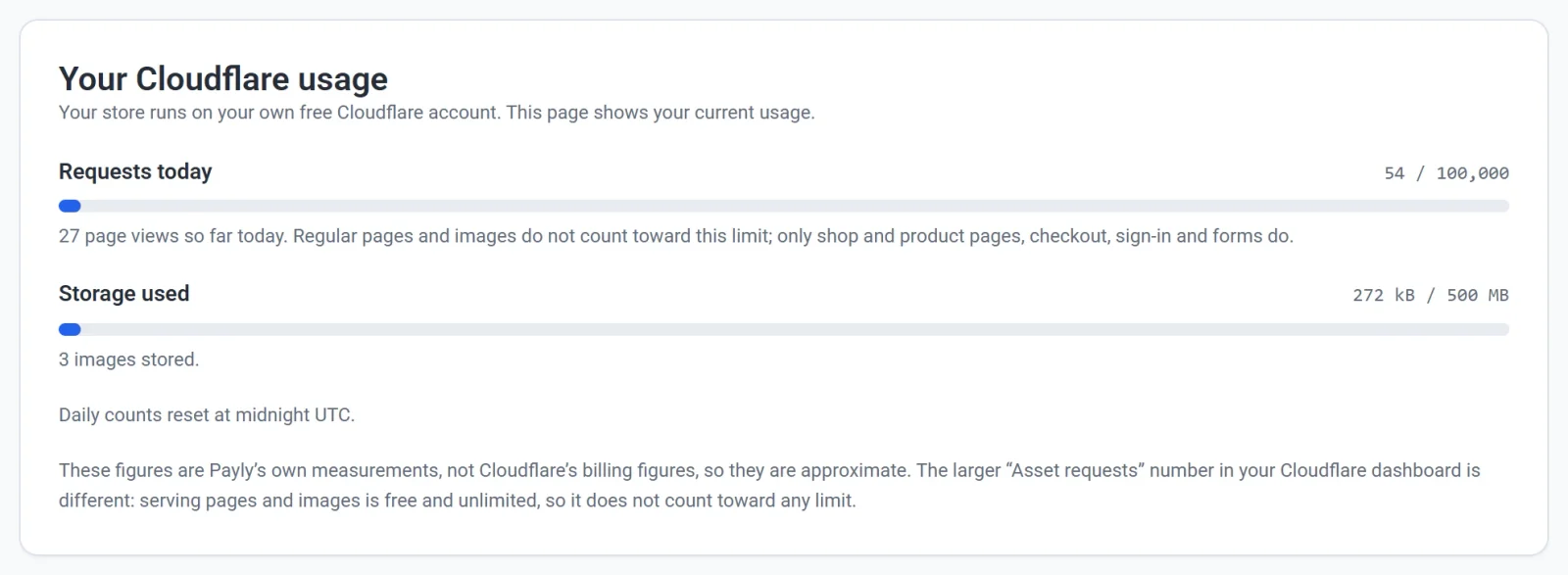
If a very busy day reaches the limit, you are not charged and your site does not go offline. Shop pages, product pages and checkout return an error and the photos you uploaded do not show until midnight UTC, so customers cannot order until then. A paid Workers plan on your own Cloudflare account keeps your store fully available. It costs $5 a month, and Payly adds no charge. See Server usage and Cloudflare limits, and What does Payly cost? for what each plan covers.
What you need to publish
You can build your whole store in Payly before you connect Cloudflare. A connected account is required to publish the store and to upload your own images.