
Traffic and visitors
See how many people visit your store, which pages they open, where they live and how they found you, and what each figure on the Traffic tab counts.
The Traffic tab of Dashboard & Analytics shows how many people visit your live store, which pages they open and where they come from. It is a quick way to see whether your store is getting noticed.
Open the Traffic tab
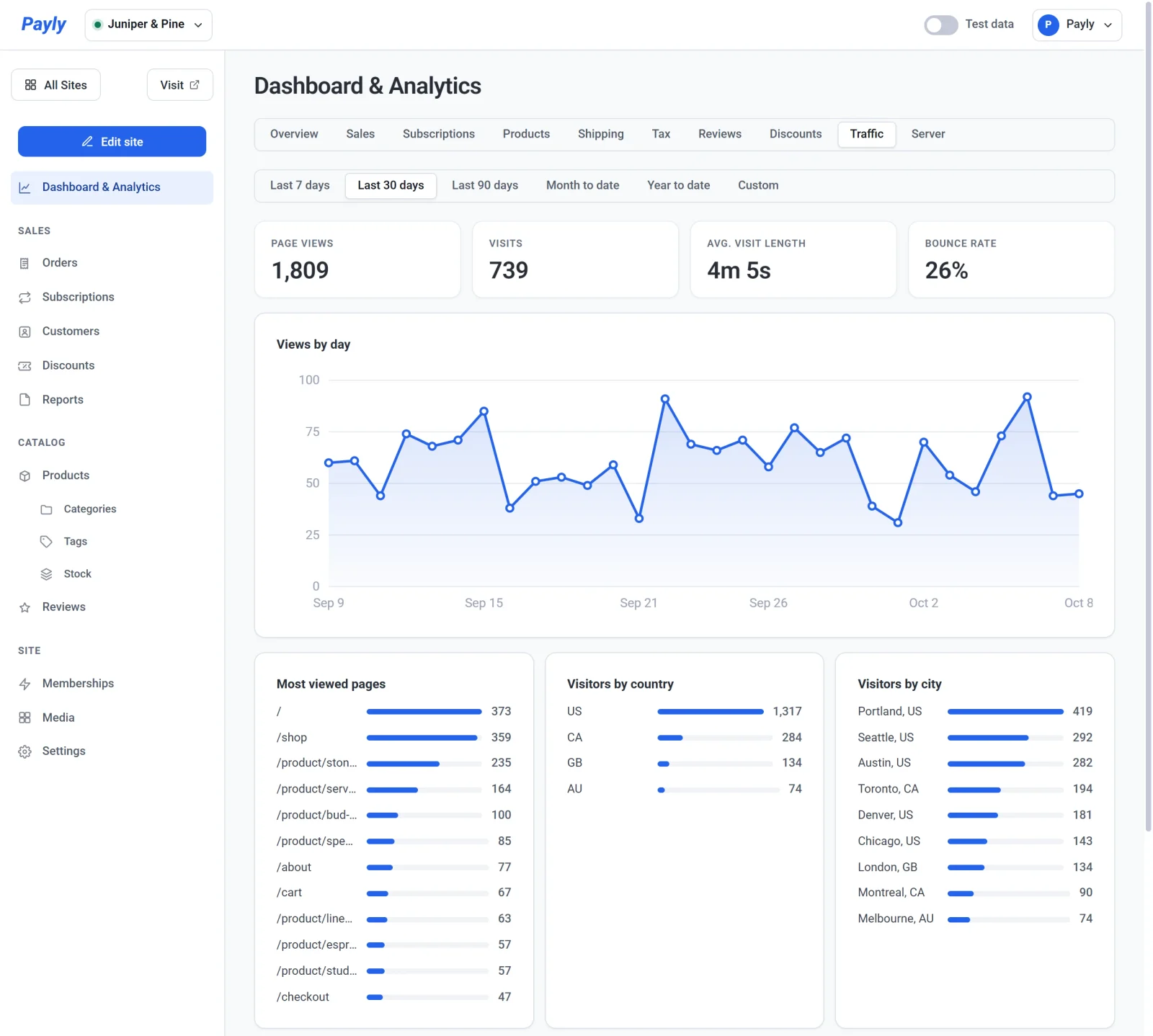
In your site dashboard, click Dashboard & Analytics, then click the Traffic tab.
Choose a period
The buttons under the tabs set the time period for everything on the tab. The default is Last 30 days, and the period stays the same when you move to another tab.
- Last 7 days, Last 30 days and Last 90 days end today. Today counts as the last day.
- Month to date starts on the first day of this month, and Year to date starts on January 1.
- Custom shows From and To date fields. Pick any two days up to today.

Days follow your computer's time zone.
The four figures

| Figure | What it counts |
|---|---|
| Page views | How many times a page of your store was opened. |
| Visits | How many browsing sessions there were. A visit is one person's time in one browser tab. It ends when they close the tab, so someone who comes back later counts as a new visit. |
| Avg. visit length | The average time a visit lasted, in minutes and seconds. |
| Bounce rate | The share of visits that looked at only one page before leaving. |
Below the figures, Views by day is a line chart with one point for each day in your period.
Where visitors look and come from
The cards under the chart break your visits down. Each card lists the top results, longest bar first.
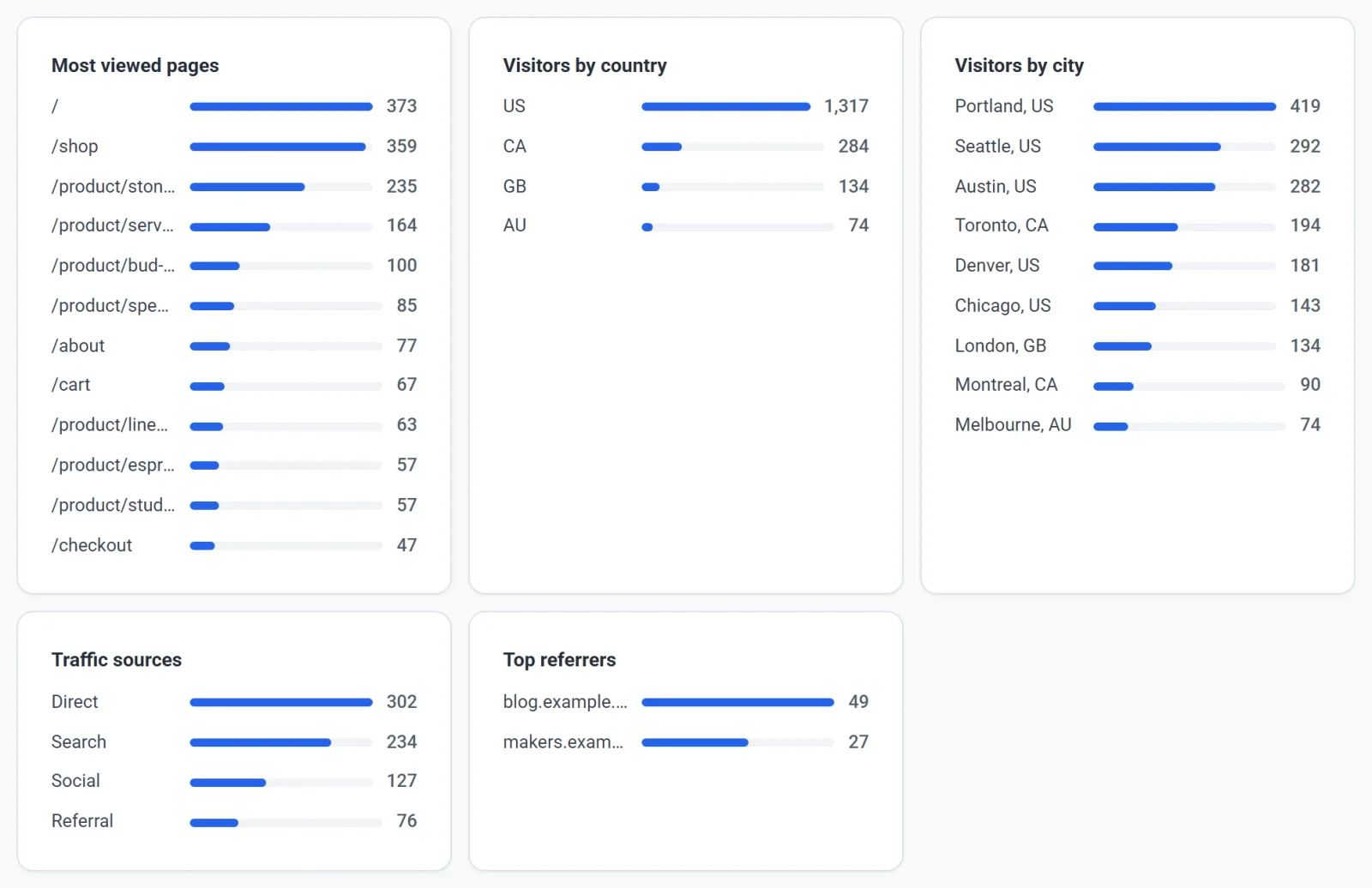
- Most viewed pages shows the addresses of your pages, such as
/shopor/checkout, with the number of views for each. - Visitors by country and Visitors by city show where page views came from. Countries appear as two-letter codes, such as
US. - Traffic sources shows how visitors arrived:
- Direct: they typed your address, used a bookmark, or came from a link that does not say where it was.
- Search: they came from a search engine such as Google or Bing.
- Social: they came from a social site such as Facebook, Instagram or Pinterest.
- Referral: they clicked a link on any other website.
- Top referrers names the websites behind the Referral visits.
A card that says No data for this period. has nothing to show yet. Clicks between pages of your own store are not counted as a source.
What is counted
- Every page view on your published store is counted, including your own visits.
- Visitors whose browser asks not to be tracked (Do Not Track or Global Privacy Control) are not counted.
- Payly counts visits without cookies and does not store visitors' IP addresses for these figures.
- The Test data switch in the top bar does not change this tab. Visits are counted the same way whichever side you are viewing.
- The numbers will not match your Cloudflare dashboard. Cloudflare counts every request for a file, including images and styles, so its figures are larger.