
Your restaurant's orders
Find every order on the Orders screen, see what was ordered and how it is handed over, what your customers see and are emailed, and how to refund.
Every paid order is kept on your Orders screen, as well as on the Kitchen screen while it is being made. Here is what an order shows, what your customer sees and is told, and how to refund one.
Find an order
- In your site dashboard, click Orders, under Sales.
- Find the order in the list. Search by its number, the customer's name or their email. The Shipping column says how each order is handed over: Pickup, Delivery or the table.
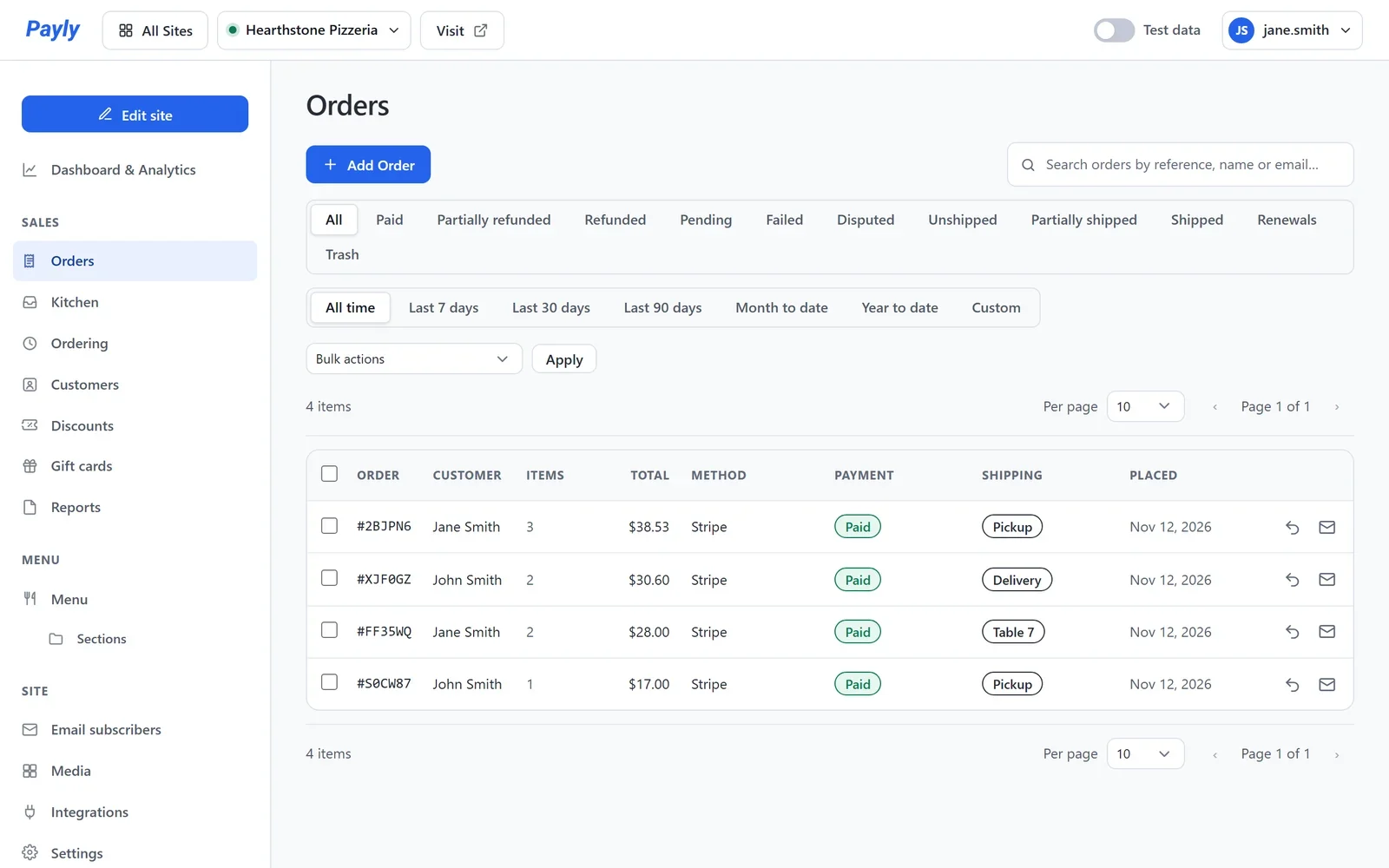
- Click the order's number to open it.
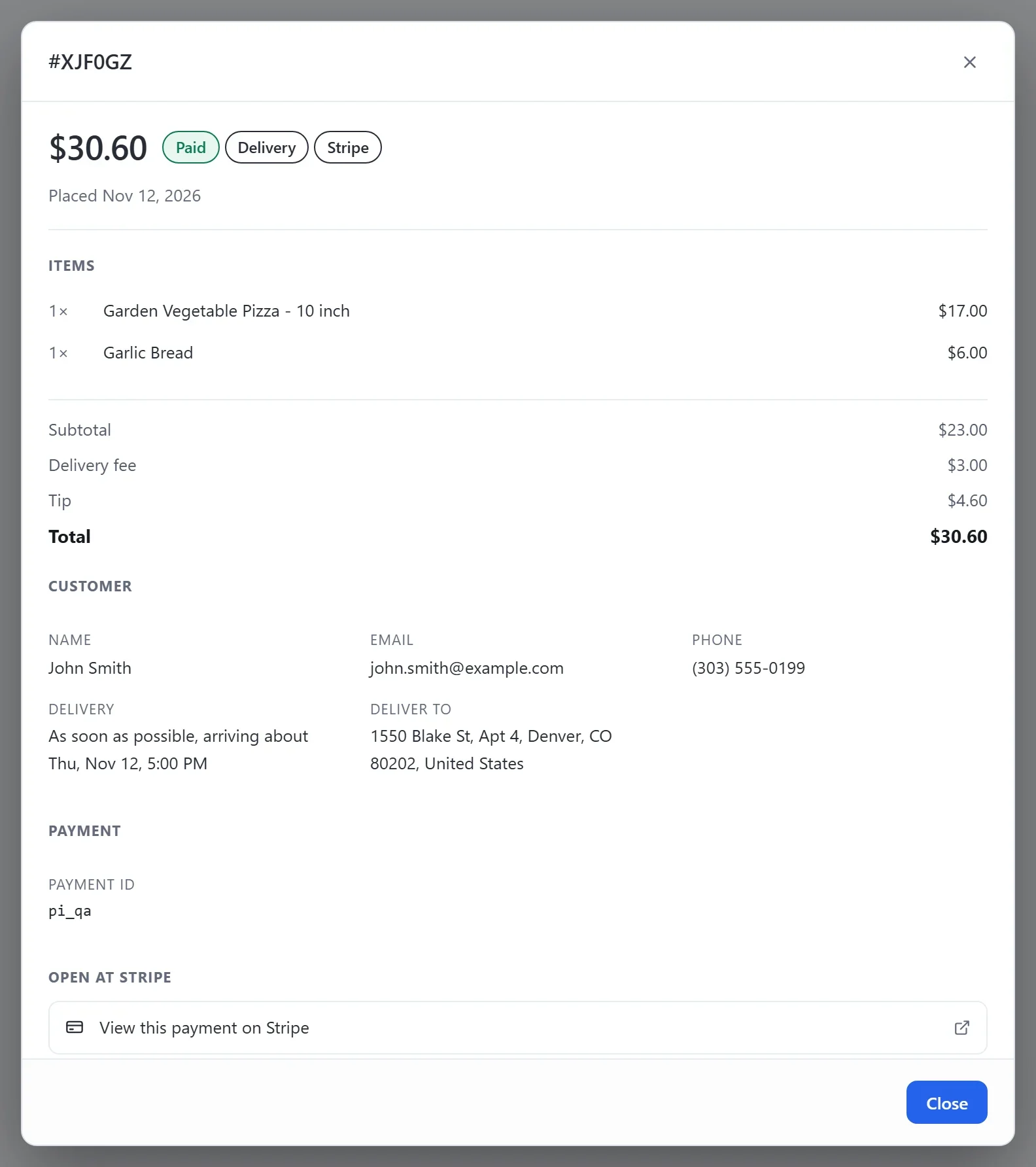
An order shows each dish with its size and add-ons, the total with any delivery fee and tip, the customer's name, email and phone, when the order is wanted, the address for a delivery and the customer's note.
What your customer sees
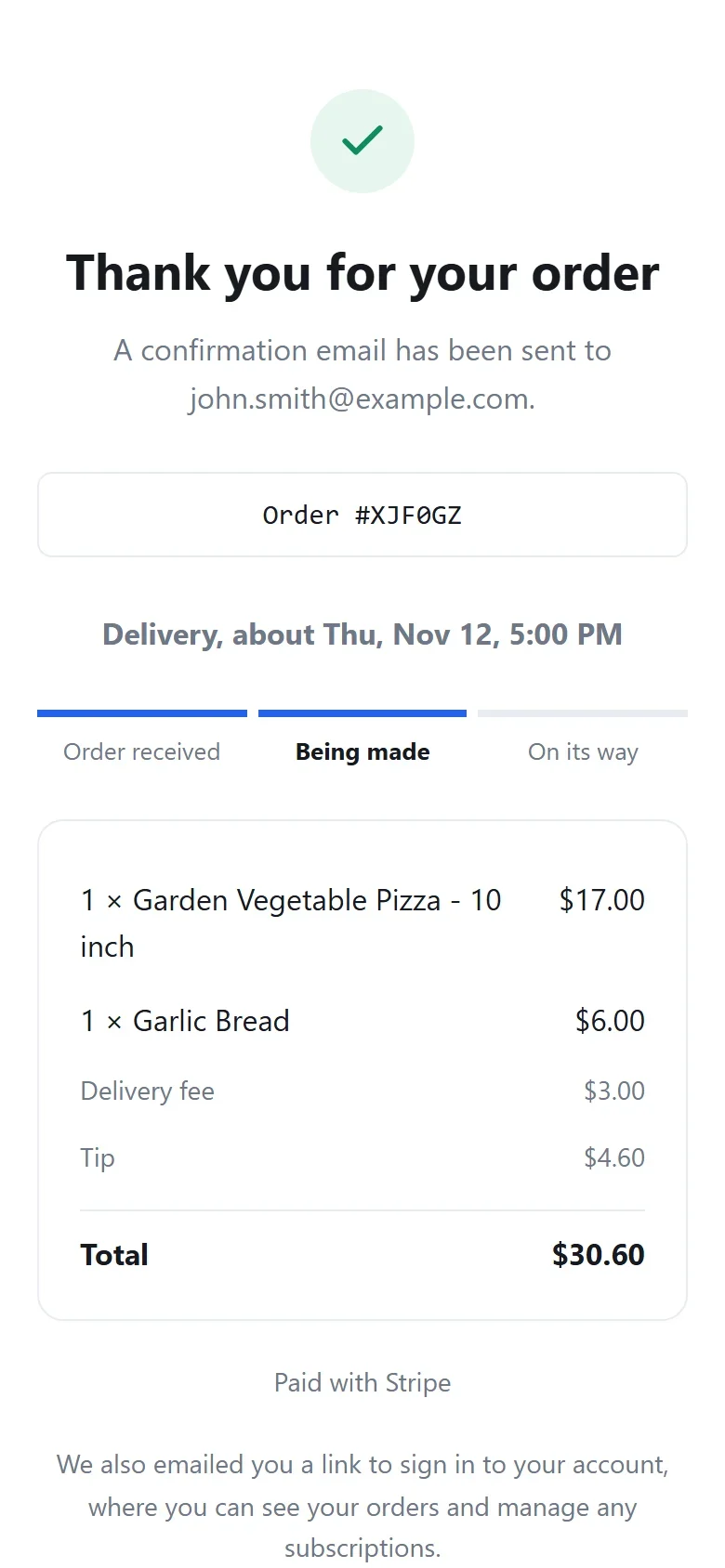
Right after paying, your customer sees their order page. It says how and when the order is handed over and where it stands, in three steps: Order received, Being made, then Ready for pickup, On its way or Coming to your table. The steps move along as you press the buttons on your Kitchen screen. While the page is open, it checks every 30 seconds.
The emails your customer gets
- Right after paying: an order confirmation, with their order and its total.
- When you press Ready on the Kitchen screen: Your order from your restaurant is ready, with your address, for a pickup, or is on its way, for a delivery. A guest at a table gets no email, because you bring the food to them.
Payly sends these emails for you, from your restaurant's name. You get an email for each new order too. See Choose which emails you receive.
Refund an order
- Open the order.
- In the Manage this order box, click Refund.
- Choose what to refund: the whole order, some of its dishes, or an amount you choose. Then confirm.
The money goes back to the customer through the PayPal or Stripe account they paid with. Only the site's owner and admins can refund. See Refund an order for each step.