
Tips at checkout
Let customers add a tip when they order: 10%, 15%, 20% or their own amount. Tips are not taxed and are not counted as sales.
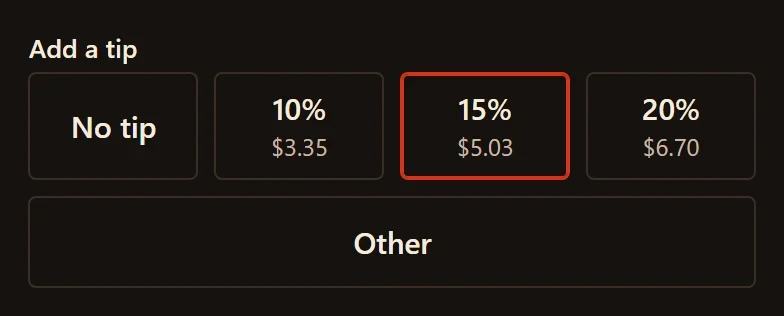
Your checkout can ask customers for a tip. They choose No tip, 10%, 15%, 20% or Other for an amount of their own. The tip is paid with the order, into your own PayPal or Stripe account.
Turn tips on or off
- In your site dashboard, click Ordering.
- Turn Tips on or off. Tips are on for a new restaurant website.

- Click Save at the bottom of the screen.
What customers see
Under Add a tip, each percent shows the amount it comes to. No tip is chosen until the customer picks another.
- A percent is worked out on the food, after any discount code. It does not include tax or the delivery fee.
- With Other, the customer types an amount. It can be as much as the food costs. On an order with less than $20.00 of food, it can be up to $20.00.
- The tip shows on its own line above the total: at checkout, on the customer's order page and in their receipt email.
Tips on your orders and reports
- On your Orders screen, an order's tip has its own Tip line.
- Tips are never taxed, and discount codes never take anything off them.
- Tips are not counted as sales. On the Reports screen, the sales report says how much came in as tips for the dates you choose.
- In your reports, a partial refund comes off the sale first and off the tip last.