No cut of your payments
Payly charges no monthly fee, no transaction fee and no commission. PayPal and Stripe charge their standard processing fees, as they would on any platform.
No monthly fee · No transaction fees · No commission
Build a form with every question type Google Forms has, put prices on the answers, and get paid through your own PayPal or Stripe account. Payly never takes a cut.
Official PayPal & Stripe partner · Over 70,000 eCommerce sites powered by our company software · Building since 2014
Payly charges no monthly fee, no transaction fee and no commission. PayPal and Stripe charge their standard processing fees, as they would on any platform.
Short and long answers, multiple choice, checkboxes, dropdowns, file uploads, scales, ratings, grids, dates and times, with pages and skip logic.
Put prices on the answers to multiple choice, checkbox and dropdown questions, or let people type an amount. When the total is zero, the form is sent with no payment.
You build the form and set the prices. PayPal or Stripe collects each payment.
In Your sites, click New and choose Payment form. Start from a template or from scratch.
Put prices on the answers of a multiple choice, checkbox or dropdown question, or let people type an amount. Charge the total once or on a schedule.
Your form runs on your own free Cloudflare account. Payments go straight to your own PayPal or Stripe, and each payer gets a receipt by email.
$0
Completely free - no paid plan, no transaction fees, no commission
PayPal and Stripe charge their standard processing fees, as they would on any platform.
Start from one of these and change anything you like, or start from scratch.
Monthly tuition for adult classes, charged every month.
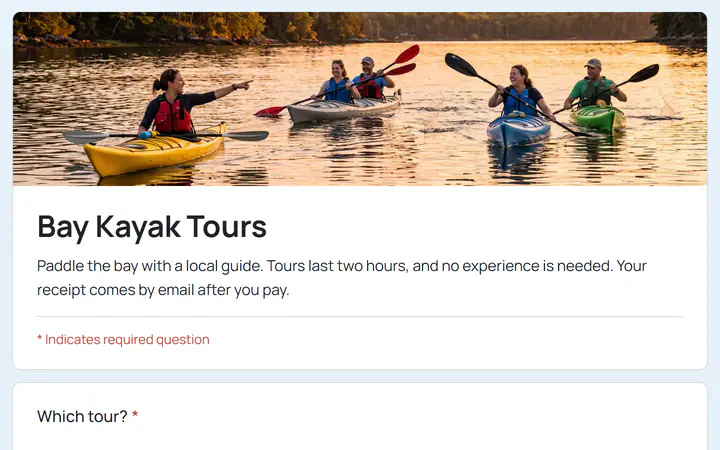
Several pages: pick a tour and a kayak, then agree to the safety rules.
Sign up a whole team, or join on your own as a free agent.
Style and size, then pick it up for free or have it shipped.
Several pages: the camper and the weeks, each with its own price, then a parent or guardian.
Gold, Silver and Bronze levels for businesses, with a logo upload.
A monthly membership with two levels, charged every month.
Several pages: beginners see a starter kit page, then everyone pays in full or a deposit.
Yes. There is no monthly fee, no transaction fee and no paid tier. PayPal and Stripe charge their standard processing fees on each payment, as they would on any platform. How can this possibly be free?
With PayPal or by card through Stripe, on the last page of the form. The money goes straight to your own account, and Payly never holds it.
Yes. Charge the total once, every week, month or year, or every few days, weeks or months, up to a year apart. Payments can stop after a set number or run until cancelled. A form has one schedule, because PayPal takes one subscription per checkout.
Yes. Free, paid and mixed forms are all fine. When the total comes to zero, the form is sent with no payment.
No. A payment form is a site of its own, with no cart, products or shipping. Stores and forms can share one Payly account.
Payly sets none and keeps every response, and you can close a form after a number of answers. The Responses screen shows the newest 5,000. Uploaded files are stored in your own Cloudflare account: 500 MB on Cloudflare's free plan, shared by all your forms there.
Each form runs in your own Cloudflare account, like a store. Cloudflare's free plan holds up to 100 forms in one account, fewer if it also holds stores. Its $5 a month plan holds up to 500, paid to Cloudflare. Payly stays free either way. What the free plan covers
Quizzes with scores, editing a response after it is sent, and placing a form inside another website are not supported.
Your form, your payment account, your customers. The only thing you pay is normal PayPal and Stripe processing fees.
Start buildingNo credit card · No paid tier · No trials