No commission, no monthly fee
Customers pay with PayPal or a card, straight to your own account. Payly charges no monthly fee, no order fee and no commission. PayPal and Stripe charge their standard processing fees, as they would on any platform.
Put your menu online and take orders for pickup, delivery and tables. Customers pay through your own PayPal or Stripe account, and Payly takes no fees.
Start buildingNo monthly fee · No order fees · No commission
Most platforms meter what you build and charge you when you grow. We don’t. Everything below is included from the day you sign up, and your site carries your name, not ours.
Customers pay with PayPal or a card, straight to your own account. Payly charges no monthly fee, no order fee and no commission. PayPal and Stripe charge their standard processing fees, as they would on any platform.
Your menu, hours, address and photos on a website of your own, in a design made for restaurants. Customers order from you, and every order and customer is in your dashboard.
Orders arrive on the kitchen screen with the time wanted, the table, the add-ons and any notes. Mark a dish sold out today, or pause orders, and your website shows it at once.
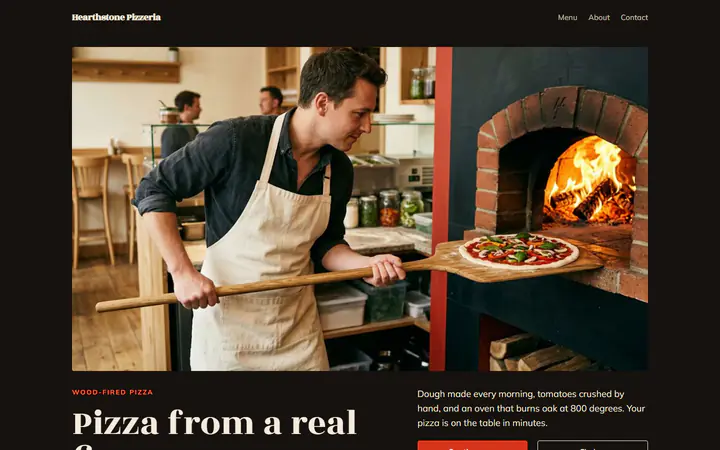
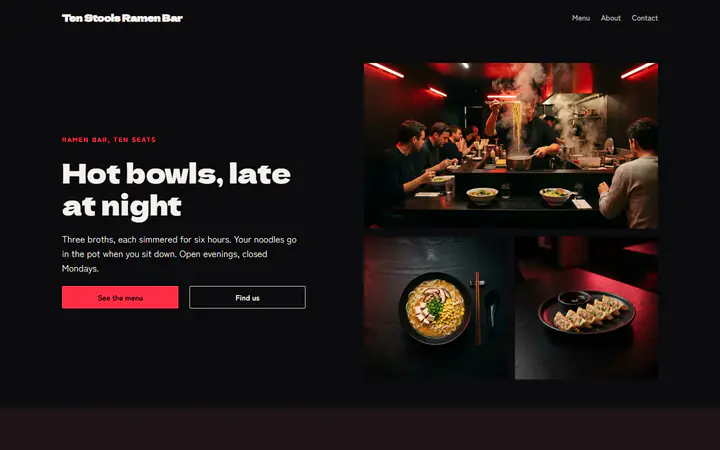
Pizzas in two sizes with paid toppings, pickup and delivery by your own driver, and a kitchen screen by the oven, with no commission.
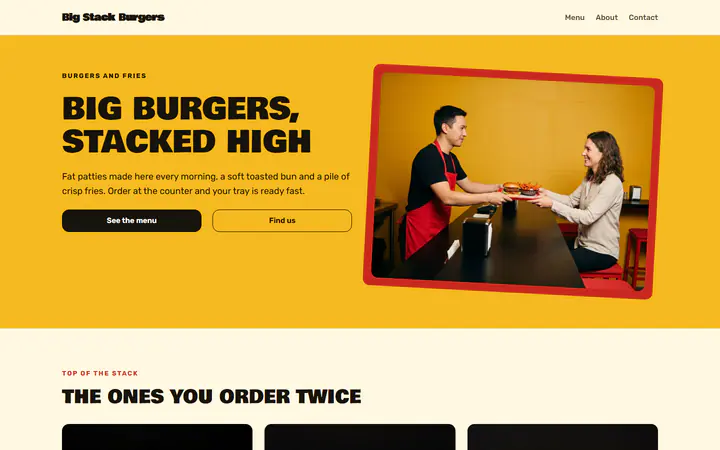
Burgers with paid add-ons such as an extra patty, a kitchen screen your crew can share, and QR codes for your tables, with no commission.
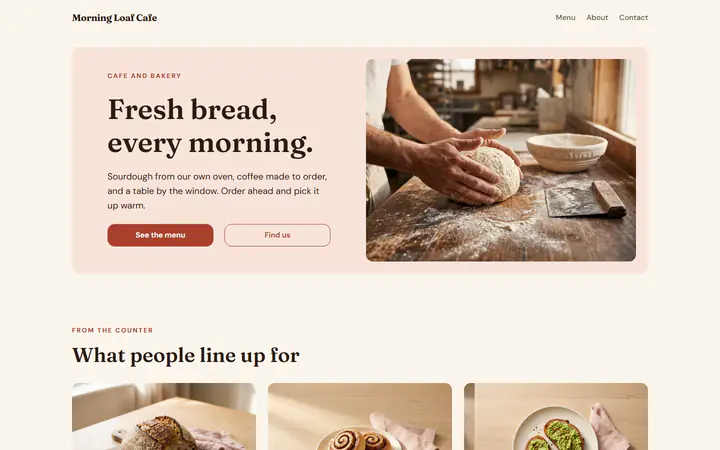
Order ahead for pickup, even the night before, with pickup times every 15 minutes, sizes on coffee and Sold out today for the bakery.
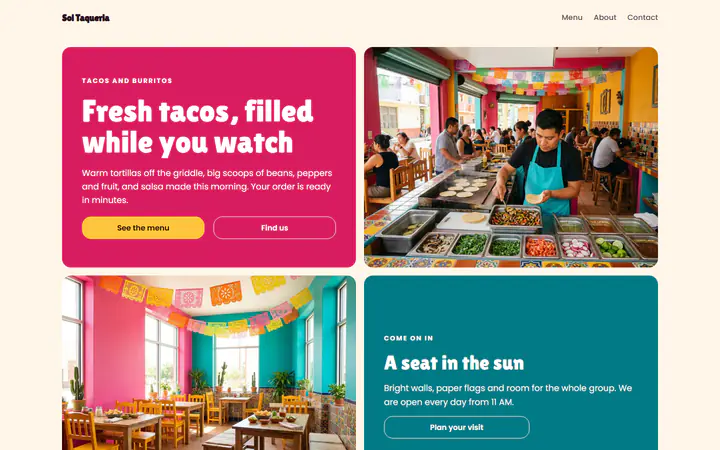
Taco plates and burritos with a required How spicy? choice and paid extras, quick pickup times and a kitchen screen, with no commission.
A QR code at every seat, so guests order and pay on their phone, with add-ons such as extra noodles and the table number on every order.
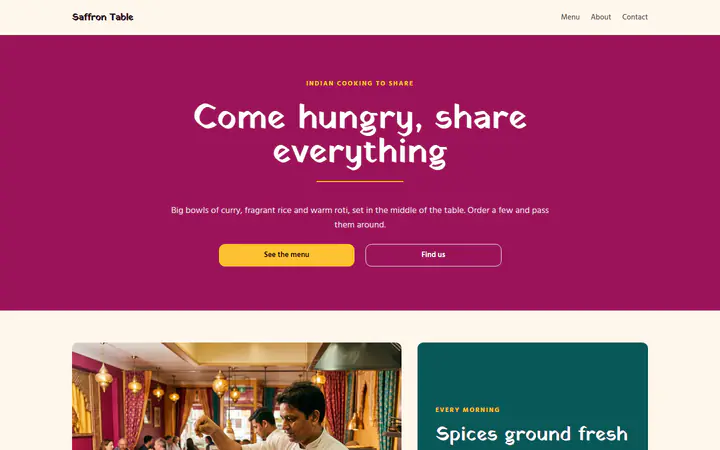
Curries with a required spice level and paid sides, pickup and delivery by your own driver, and orders taken days ahead, with no commission.
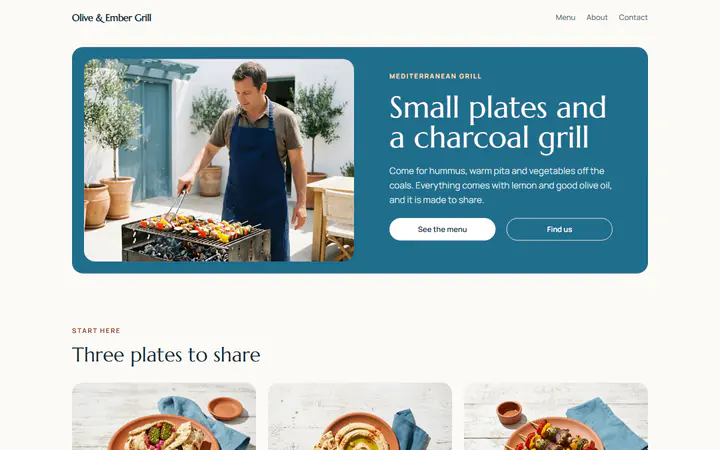
Lunch wraps ready at a set pickup time and QR codes for patio tables, with paid add-ons such as extra falafel and no commission.
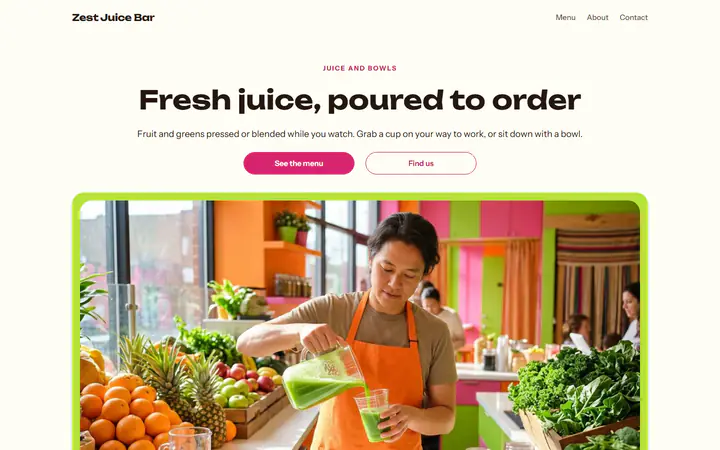
Order ahead and quick pickup for juice and smoothie bars, with 12 oz and 16 oz sizes, paid boosts and a wait you set yourself.
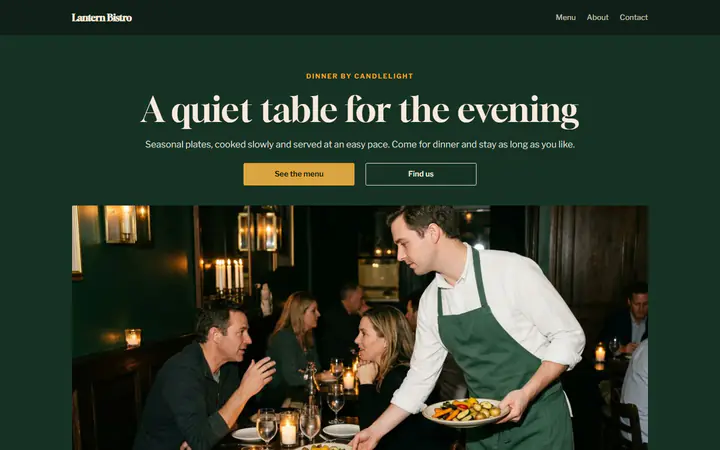
A QR code on every table, orders course by course, a paid side with any main and tips at checkout, on a bistro website of your own.
Customers add dishes, choose pickup now or a time later, add a tip and pay online, with no commission.
Deliver with your own driver: set a delivery fee, a minimum order and the postal codes you reach.
A QR code on each table. Guests scan it, order and pay on their phone, and you bring the food.
Orders on a tablet in your kitchen, with a chime until someone presses Accept, then Ready and Done.
You set the menu and how you take orders. PayPal or Stripe collects each payment.
In Your sites, click New and choose Restaurant. Start from one of nine designs, each with a sample menu, or from scratch.
Add each dish with its price and photo, in sections like Starters, Mains and Drinks. Give it sizes and add-ons if you like.
Your website runs on your own free Cloudflare account. Online ordering is on from the start: choose pickup, delivery or tables in Ordering.
It is the first thing everyone asks, so here is the honest answer: We're an official PayPal & Stripe partner, and that partnership allows us to run this platform - so we don't charge you anything. Your store runs on your own free Cloudflare account, so there is no hosting bill for anyone to pass on to you. There is no paid tier, no trials, and no features are held back. We won't sell your information and we won't advertise on your site.

Not now, not after a trial, not at any size. There is no paid tier.
Sell $100 or $100,000+ - we take none of it. Payouts go straight to your own account.
Unlimited products and pages, with room for thousands of visitors a day. No feature is behind a paywall.*
Start from one of these and change anything you like, or start from scratch.
Yes. There is no monthly fee, no fee per order and no commission. PayPal and Stripe charge their standard processing fees on each order, as they would on any platform. How can this possibly be free?
Online, when they order, with PayPal or by card through Stripe. Connect both and customers choose. Where PayPal offers them, customers can also pick Venmo or Pay Later, and Stripe's page offers Apple Pay and Google Pay on devices that have them. The money goes straight to your own account, and Payly never holds it.
You do, with your own driver, so no delivery app takes a cut. You set the delivery fee, the smallest order and the postal codes you deliver to.
Say how many tables you have, then print a sheet with a QR code for each one. A guest scans the code, orders and pays on their phone, and the order shows on your kitchen screen with the table number.
Yes. At checkout they choose as soon as possible, or a time later today or on another day, up to the number of days you allow. When you are closed, they can still order for later.
Turn on Pause orders and your website says you are not taking orders right now. It works at once, with no publish. Turn it off when you are ready again.
Yes. Turn online ordering off and your website shows your menu, hours and address, with no cart or checkout. Your dishes and orders are kept.
Each restaurant website runs in your own Cloudflare account, like a store. Cloudflare's free plan holds up to 10 stores and restaurant websites in one account, and its $5 a month plan up to 500, paid to Cloudflare. Payly stays free either way. What the free plan covers
Table reservations, links to delivery apps, kitchen printers, more than one location and loyalty points are not supported yet. Orders are paid online when they are placed, not at the counter.
Make any of these from the same dashboard and get paid through your own PayPal or Stripe account. Payly takes no fees from any of them.
Your menu, your payment account, your customers. The only thing you pay is normal PayPal and Stripe processing fees.
Start buildingNo credit card · No paid tier · No trials
Payly puts no limits on your store. It runs on your own Cloudflare account, and Cloudflare’s free plan comfortably covers most stores. Ordinary pages are always free to serve; the visit counter, shop and product pages, your photos, the cart and checkout count toward the daily requests.
| Free plan | Paid plan, $5 a month | |
|---|---|---|
| Visitors | About 5,000 a day | About 16,000 a day, then $0.30 per extra million requests |
| Products | About 1,500, with a photo each | About 30,000, with a photo each |
| Orders | No limit | No limit |
| Photos and files | 500 MB per store, about 1,500 photos | 10 GB per store, about 30,000 photos (5 GB included, then $0.75 per GB a month) |
| Pages | 20,000 per store | 100,000 per store |
| Stores per Cloudflare account | 10 | 500 |
Products take almost no room on their own; it’s their photos that count. Orders, customers and subscriptions are kept by Payly, so they are never limited. The paid plan is paid to Cloudflare, in your own account, and only if you ever need it. Payly stays free either way. Visitor numbers are estimates for a typical store; Cloudflare’s limits as published October 2026.
ChowNow's most popular plan, Grow, is $319 a month billed yearly, plus a $119 to $499 setup fee. On 300 orders a month, Payly with Stripe saves $3,846 a year.
Owner.com's guests pay a 5% fee on each online order, and its plans cost $249 a month plus 5%, or $499. On 300 orders a month, Payly with Stripe saves you $6,144.60 a year and your guests $5,400.
On Toast's Traditional pricing, online ordering means its Core pack at $219 a month, a $1,153 kit and a 2-year agreement. On 300 orders a month, Payly with Stripe saves $4,443.40 over those 2 years.
ChowNow, Owner.com and Toast are trademarks of their owners. Payly is not affiliated with or endorsed by them.