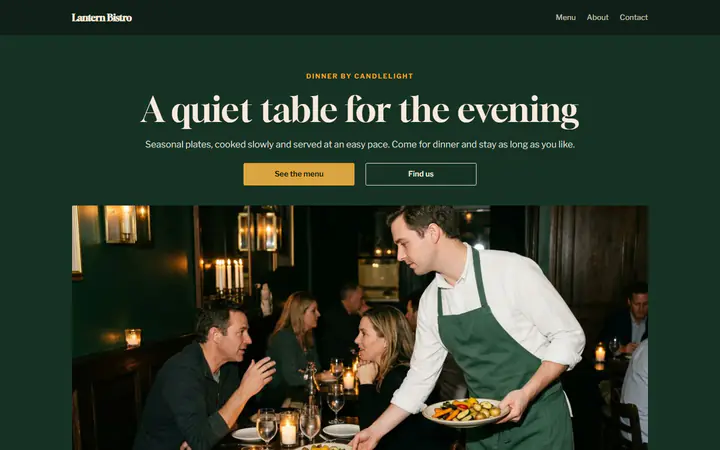
Course by course
Each order is paid when it is placed, so guests can order starters first and mains when they are ready. Every order reaches the kitchen screen with its table number.
Table ordering for bistros, free
Guests scan the code on their table, order and pay on their phone, and your staff bring each plate. The money goes to your own PayPal or Stripe account, and Payly takes no fees.
Start buildingA QR code on each table opens your menu for that table. Guests order and pay on their own phone, and order again when they are ready for the next course. Your staff still bring every plate and look after the room. Payly prints the codes and runs the menu free, and PayPal or Stripe charges only its standard processing fee.
Most platforms meter what you build and charge you when you grow. We don’t. Everything below is included from the day you sign up, and your site carries your name, not ours.
Each order is paid when it is placed, so guests can order starters first and mains when they are ready. Every order reaches the kitchen screen with its table number.
In the Bistro design, each main offers roasted potatoes for $6, a green salad for $5 or bread and olive oil for $4. The choice is added to the price and shows under the dish on the kitchen screen.
At checkout, guests pick No tip, 10%, 15%, 20% or their own amount. Tips are not taxed or counted as sales, and the Sales report tells you the tips for the dates you choose.
You print the codes once. Guests order from their table, and PayPal or Stripe collects each payment.
In Your sites, click New, choose Restaurant and pick Bistro. You get three starters, three mains with sides and two desserts, with dinner hours and Mondays closed. Change any of it.
In Ordering, turn on Table ordering and say how many tables you have. Keep pickup on if you also sell dinner to take home.
Connect PayPal or Stripe and publish to your own free Cloudflare account. Click Print table codes in Ordering: one card for each table, with your name and the table number.
$0
Completely free - no paid plan, no transaction fees, no commission
PayPal and Stripe charge their standard processing fees, as they would on any platform.
How can this possibly be free?Start from one of these and change anything you like, or start from scratch.
No. Table reservations are not supported yet. Guests can write to you about a special dinner from the contact form on your Contact page.
Yes. Turn online ordering off in Ordering, and your website shows your menu, hours and address, with no Add buttons, cart or checkout. Your dishes and orders are kept.
Yes. Each guest can scan the table's code, then order and pay on their own phone. Every order goes to the same table, and the kitchen screen shows each one with the table number.
Turn on Pause orders in Ordering, and your menu says at once that you are not taking online orders right now. No publish is needed. Turn it off when you are ready again.
Yes. There is no monthly fee, no fee per order and no commission. PayPal and Stripe charge their standard processing fees on each order, as they would on any platform. How can this possibly be free?
Make any of these from the same dashboard and get paid through your own PayPal or Stripe account. Payly takes no fees from any of them.
Your menu, your payment account, your customers. The only thing you pay is normal PayPal and Stripe processing fees.
Start buildingNo credit card · No paid tier · No trials
Payly puts no limits on your store. It runs on your own Cloudflare account, and Cloudflare’s free plan comfortably covers most stores. Ordinary pages are always free to serve; the visit counter, shop and product pages, your photos, the cart and checkout count toward the daily requests.
| Free plan | Paid plan, $5 a month | |
|---|---|---|
| Visitors | About 5,000 a day | About 16,000 a day, then $0.30 per extra million requests |
| Products | About 1,500, with a photo each | About 30,000, with a photo each |
| Orders | No limit | No limit |
| Photos and files | 500 MB per store, about 1,500 photos | 10 GB per store, about 30,000 photos (5 GB included, then $0.75 per GB a month) |
| Pages | 20,000 per store | 100,000 per store |
| Stores per Cloudflare account | 10 | 500 |
Products take almost no room on their own; it’s their photos that count. Orders, customers and subscriptions are kept by Payly, so they are never limited. The paid plan is paid to Cloudflare, in your own account, and only if you ever need it. Payly stays free either way. Visitor numbers are estimates for a typical store; Cloudflare’s limits as published October 2026.