
Change your restaurant's design
Switch your restaurant website to another of the nine designs. Your dishes, ordering settings, orders and business details stay as they are.
You can switch your restaurant website to another of the nine restaurant designs at any time. The new design brings its own pages, colors and fonts. Your menu and your orders stay where they are.
What changes and what stays
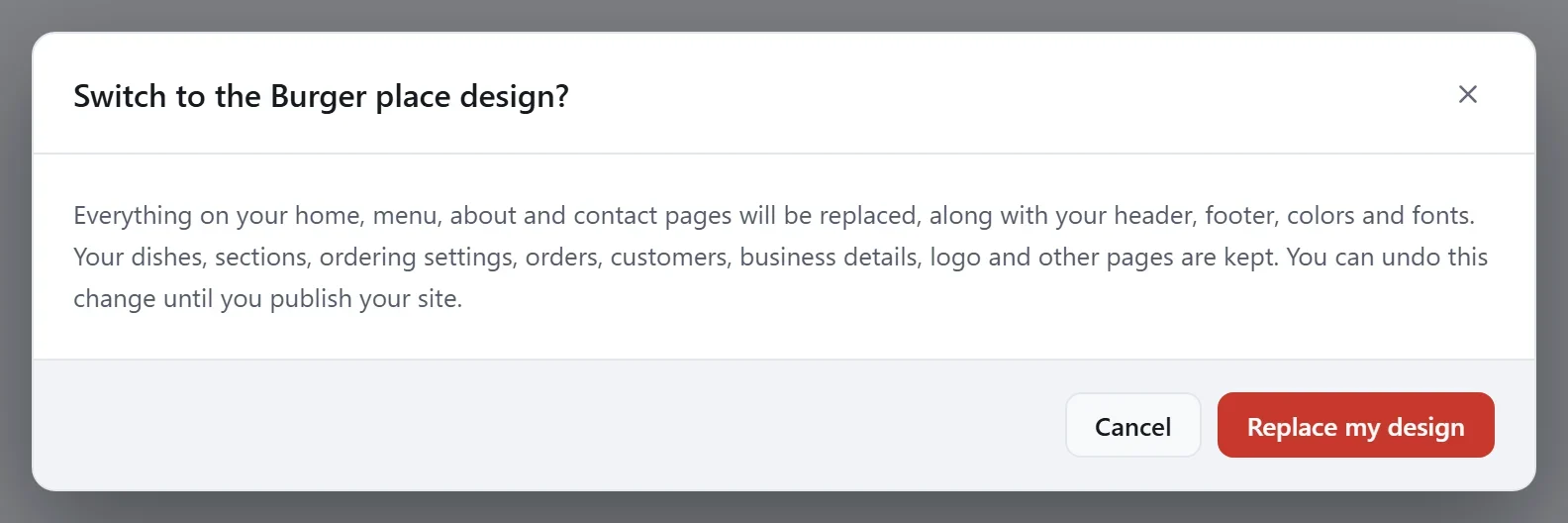
- Replaced: everything on your Home, Menu, About and Contact pages, your header and footer, and your colors and fonts.
- Kept: your dishes and sections, your ordering settings, orders and customers, your business details, your logo and any other pages you added.
If you wrote your own words on the Home, Menu, About or Contact page, copy them somewhere safe first.
Switch your design
- In your site dashboard, click Edit site.
- Click the Site design tab on the right, then click Change site design? at the bottom of it.
- In the Change design window, click the design you want. The one you have now is marked Current.
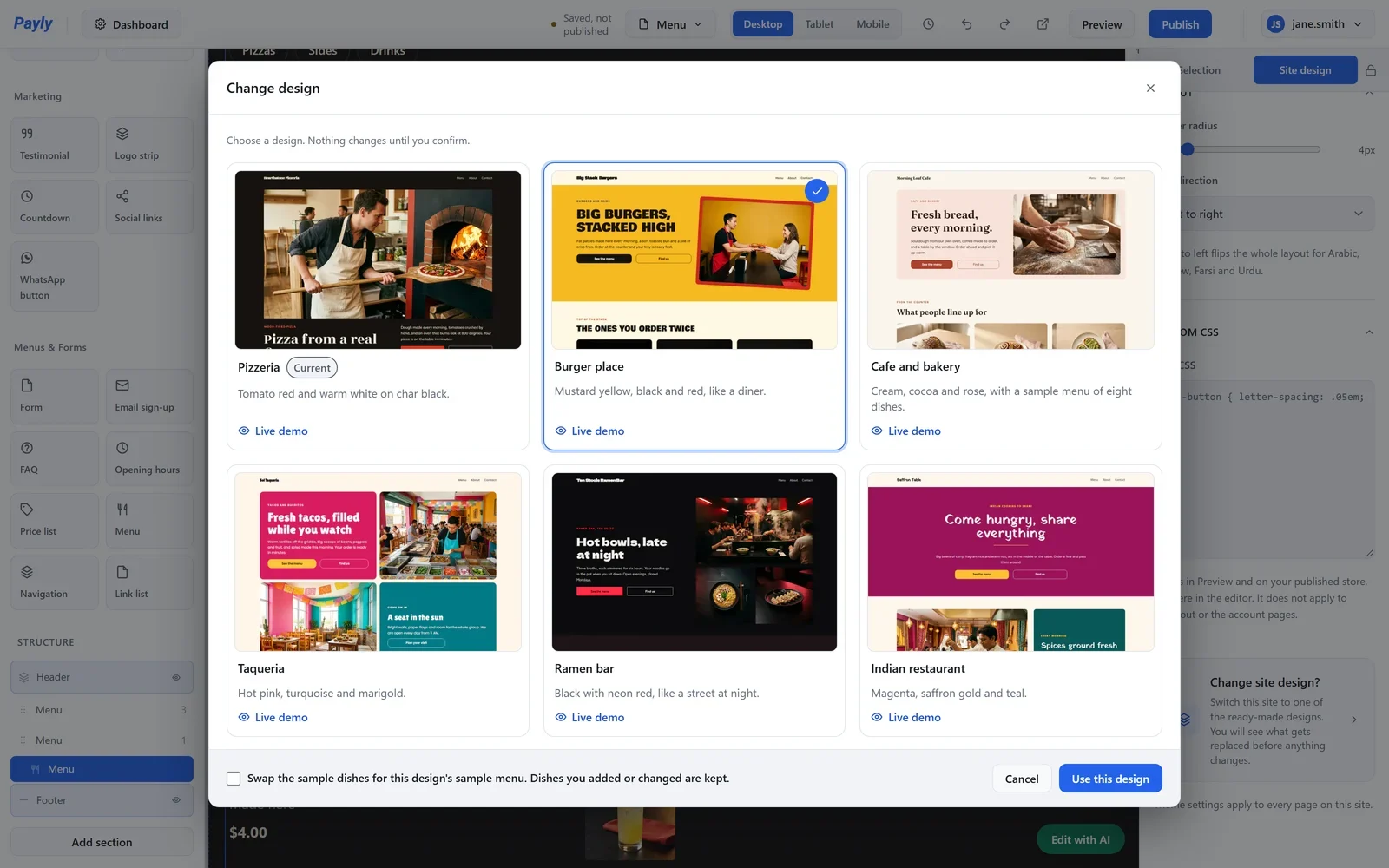
- Decide about the sample dishes. Tick Swap the sample dishes for this design's sample menu to replace the old design's sample dishes with the new design's. Dishes you added or changed are kept either way. The box starts unticked.
- Click Use this design.
- Read the message, then click Replace my design. Click Cancel to stop: nothing changes until you replace it.
The editor then shows your Home page in the new design. Look through your pages and put in your own words and photos. Your live website does not change until you publish.
Go back
Until you publish, you can undo the switch: click Undo in the top bar, or press Ctrl + Z. This works while the editor stays open. To go back later, restore an earlier version. See Undo changes and restore an earlier version.