
Your website's setup steps
The Getting set up list on your dashboard shows what is left before your business website is fully online: your first page, Cloudflare, publishing and a domain.
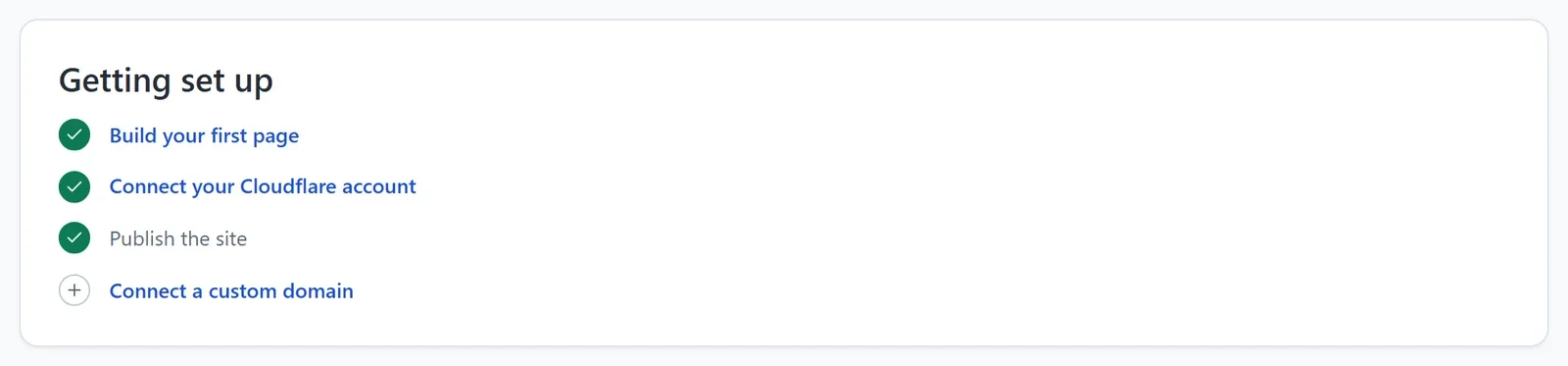
Your website's dashboard has a Getting set up list. It shows the steps to get your website fully online, ticks each one as you finish it, and goes away once they are all done. Each line takes you to the screen for that step.
To see it, open your site dashboard and click Dashboard & Analytics.
The steps
- Build your first page: done when your website has a design. Then make it yours in the editor: your words, your photos and your prices. See The editor at a glance.
- Connect your Cloudflare account: your website is hosted in your own free Cloudflare account. You connect it once, from Settings > Hosting or the first time you publish. See Connect your Cloudflare account.
- Publish the site: click Publish in the editor to put your website online. See Publish your first site.
- Connect a custom domain: your own address, such as example.com, in place of the free one. See Connect a custom domain.
If you turn on Sell online, the list gets one more step, Connect a payment processor. See Sell online from your website.
Before you share your website
- Add your address, phone number and opening hours in Settings > Business details. See Add your business details and opening hours.
- Replace every sample price on your price lists with your own. See Show your prices with a price list.
- Check your Contact page: messages from its contact form come to you by email. See Add a contact form.
- Look at your website on a phone. See Make your site look right on phones and tablets.