
Add your business details and opening hours
Enter your business name, phone, email, address and opening hours once, in Settings > Business details. Your website, its map and Google all use them.
Your business details are your name, how to reach you, where you are and when you are open. You enter them once, and every part of your website that needs them uses the same details:
- the Opening hours blocks on your pages,
- the Map block, when you leave its address empty,
- search engines such as Google: your website tells them your name, address, phone number and hours.
On a restaurant website, they also give the address customers pick up from and, unless you set other ones, the hours you take orders.
Add your details
- In your site dashboard, click Settings, then the Business details tab.
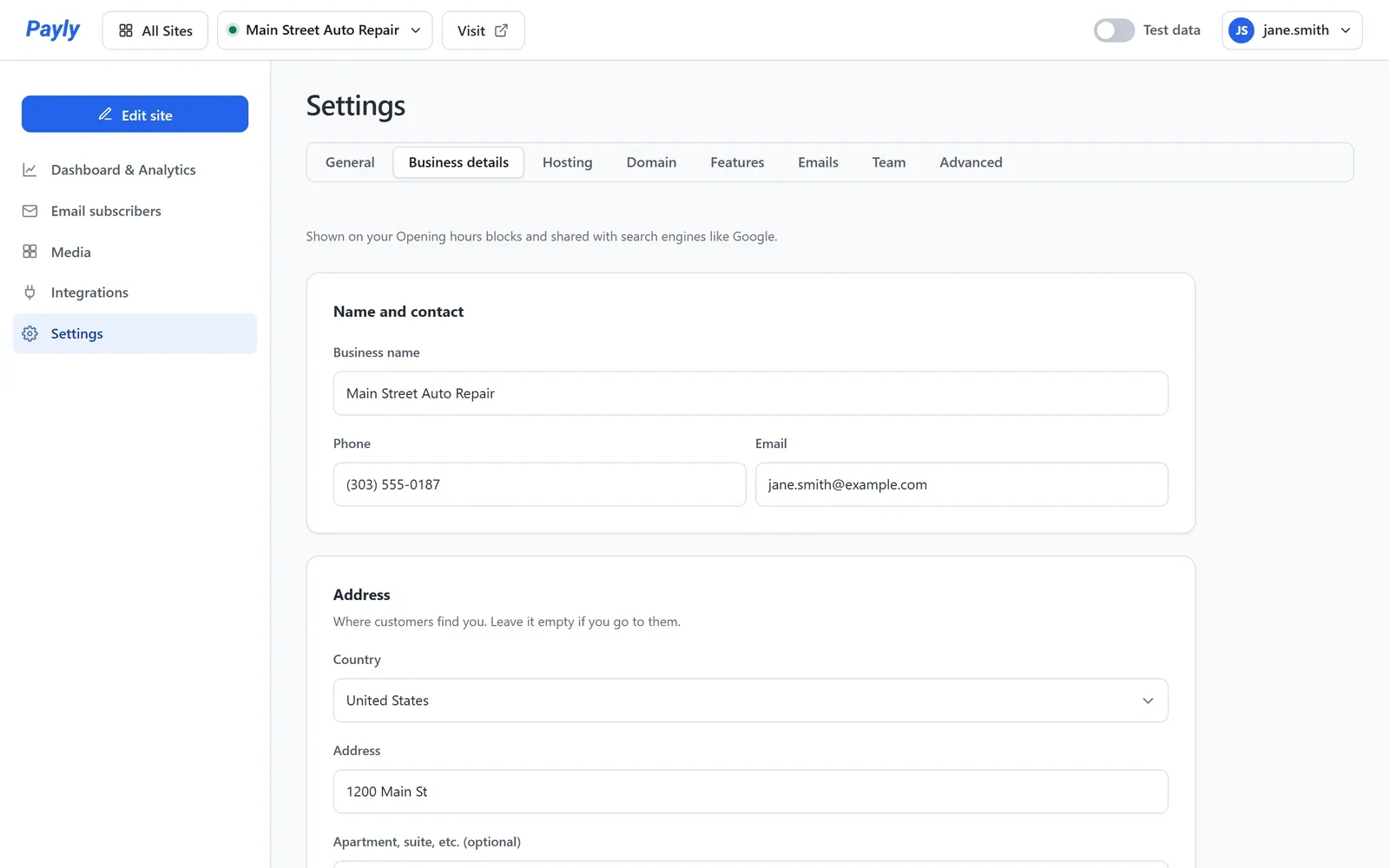
- Under Name and contact, enter your Business name, Phone and Email.
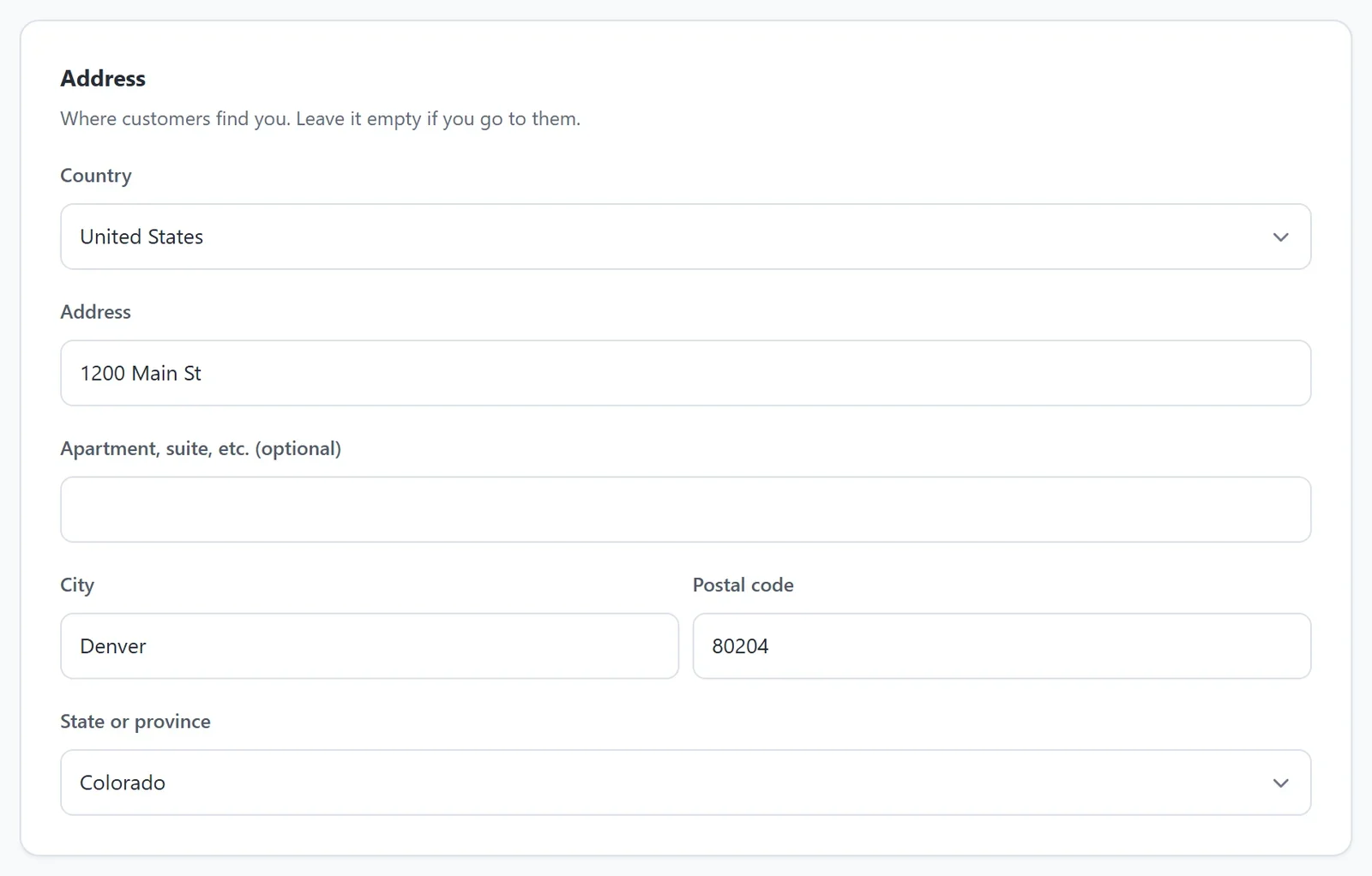
- Under Address, choose your country, then enter your street address, city, state and postal code. If you go to your customers instead, such as a mobile cleaning service, you can leave the address empty.
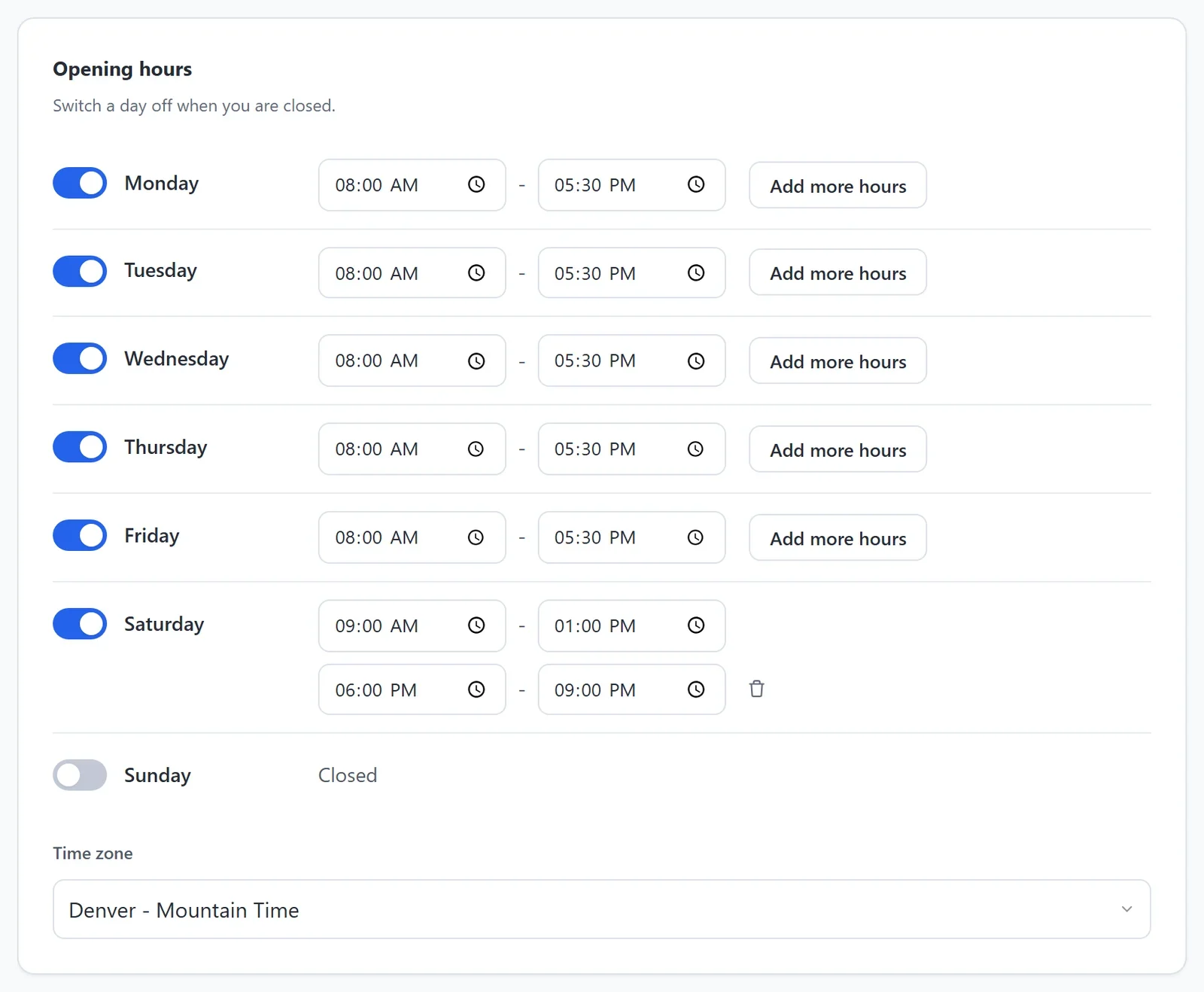
- Set your Opening hours. For each day you are open, leave its switch on and set the time you open and the time you close. Switch a day off when you are closed.
- Check the Time zone. Your hours are read on this clock, wherever your visitors are.
- Click Save.
If your website is published, Payly then asks whether to publish it again, so your live website shows the new details. Click Publish now.
A day with a break
If you close in the middle of a day, for lunch for example, click Add more hours beside that day. A second set of times appears: set when you open again and close for the day. Click the trash can beside it to remove it.
Tip: Open late? A closing time earlier than the opening time runs past midnight. For example, 6:00 PM to 2:00 AM is open until 2 in the morning.