
How a form differs from a store
A payment form, donation form, event tickets page or tip jar is one page that takes a payment, with no cart, products, shipping or tax. See what is shared with a store.
A payment form, donation form, event tickets page or tip jar is one page that collects answers and takes a payment. A store is a set of pages where people browse products, fill a cart and check out. Forms and stores share one Payly account, one dashboard and the same hosting. Use this page to choose which to make, and to know what to expect on a form's dashboard.
Which should I make?
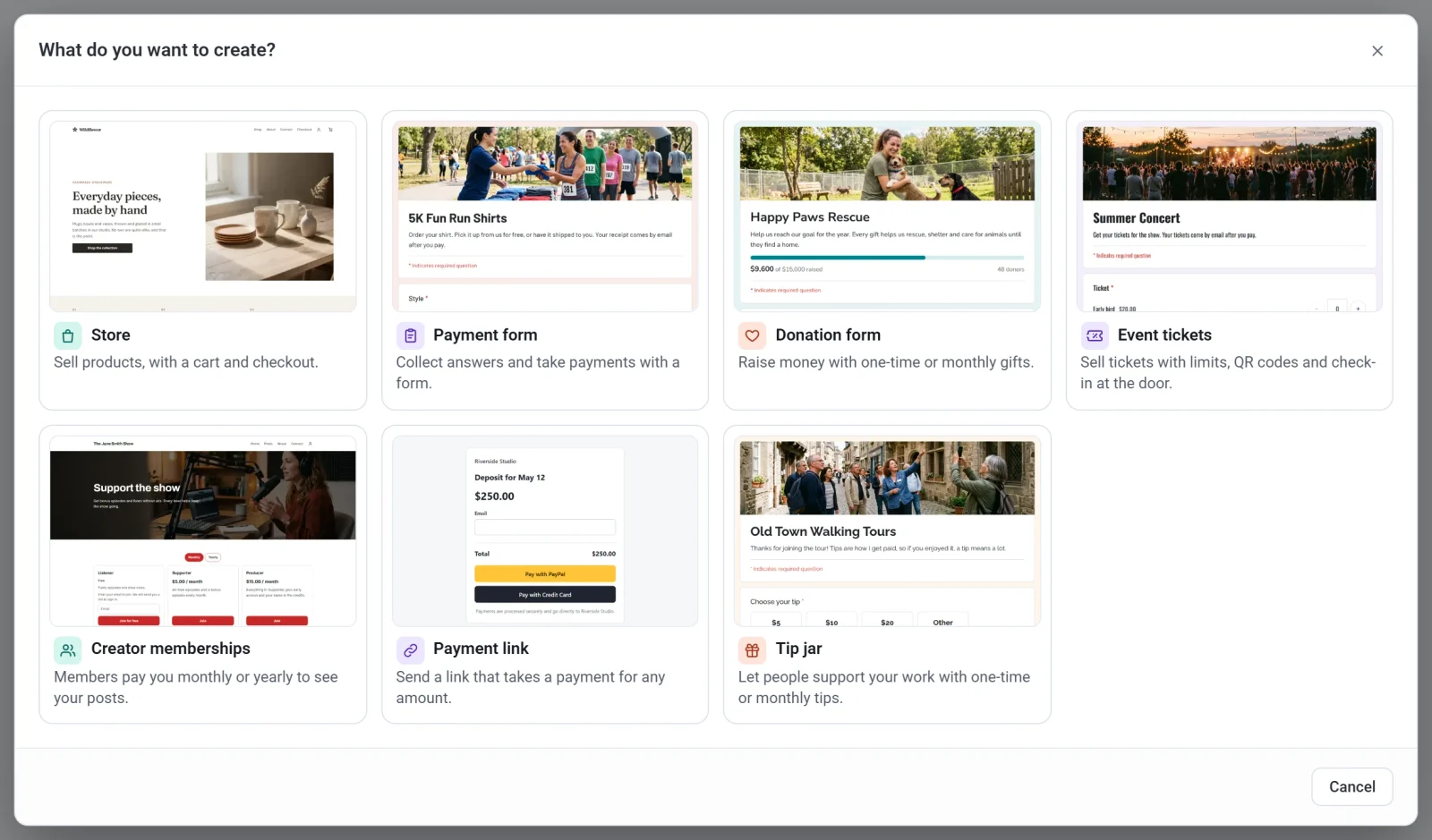
- Make a store to sell products, with photos, stock, shipping, a cart and a checkout.
- Make a payment form when people fill in details and pay once or on a schedule: sign-ups, orders, fees, deposits and dues. See Create a payment form.
- Make a donation form when people give once or every month, with an optional goal and receipts. See Set up a donation form.
- Make event tickets to sell tickets with limits, QR codes and check-in at the door. See Sell tickets to an event.
- Make a tip jar to let people support your work with one-time or monthly tips. See Set up a tip jar.
A payment link and a creator page work differently: see Make a payment link and Start a creator page. You choose in the What do you want to create? window, which opens when you click New on Your sites.
What is the same
- A form is hosted in your own free Cloudflare account, with a free address and your own domain if you want one.
- Payments go straight to your own PayPal and Stripe accounts. Payly never holds the money and adds no fee of its own. Stripe and PayPal charge their standard fees.
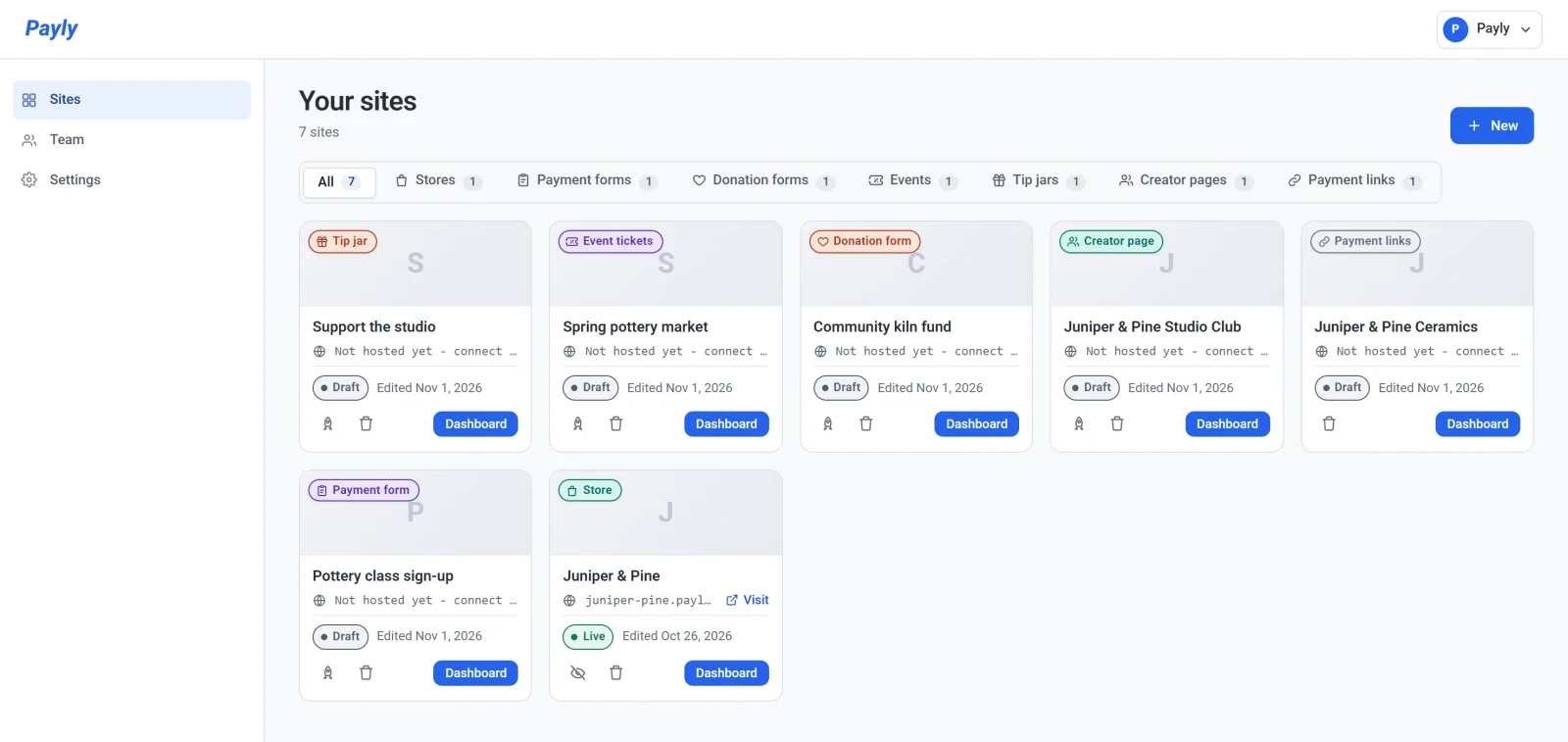
- Your forms and stores sit together on Your sites, each marked with its type. Use the tabs along the top to show only one type.
- You use the same sign-in, test mode and team roles.
What is different
| Store | Payment form, donation form, event tickets or tip jar | |
|---|---|---|
| Built in | The editor, with pages and blocks | The form builder, with questions and sections |
| What visitors do | Browse products, add to a cart and check out | Fill in one form and pay at the end |
| Cart and checkout pages | Yes | None |
| Products, stock, shipping and tax | Yes | None. You put prices on choices, or visitors type an amount. |
| Discount codes, reviews, gift cards and point of sale | Yes | None |
| What visitors pay | Product prices, plus shipping and tax | The total of your prices, or the amount they give. Never taxed or shipped. |
| What comes in | Orders | Responses (Donations on a donation form or tip jar), and Payments for the money |
| Repeating payments | Subscription products | One schedule for the whole form, or monthly and yearly gifts on a donation form |
The dashboard of a form
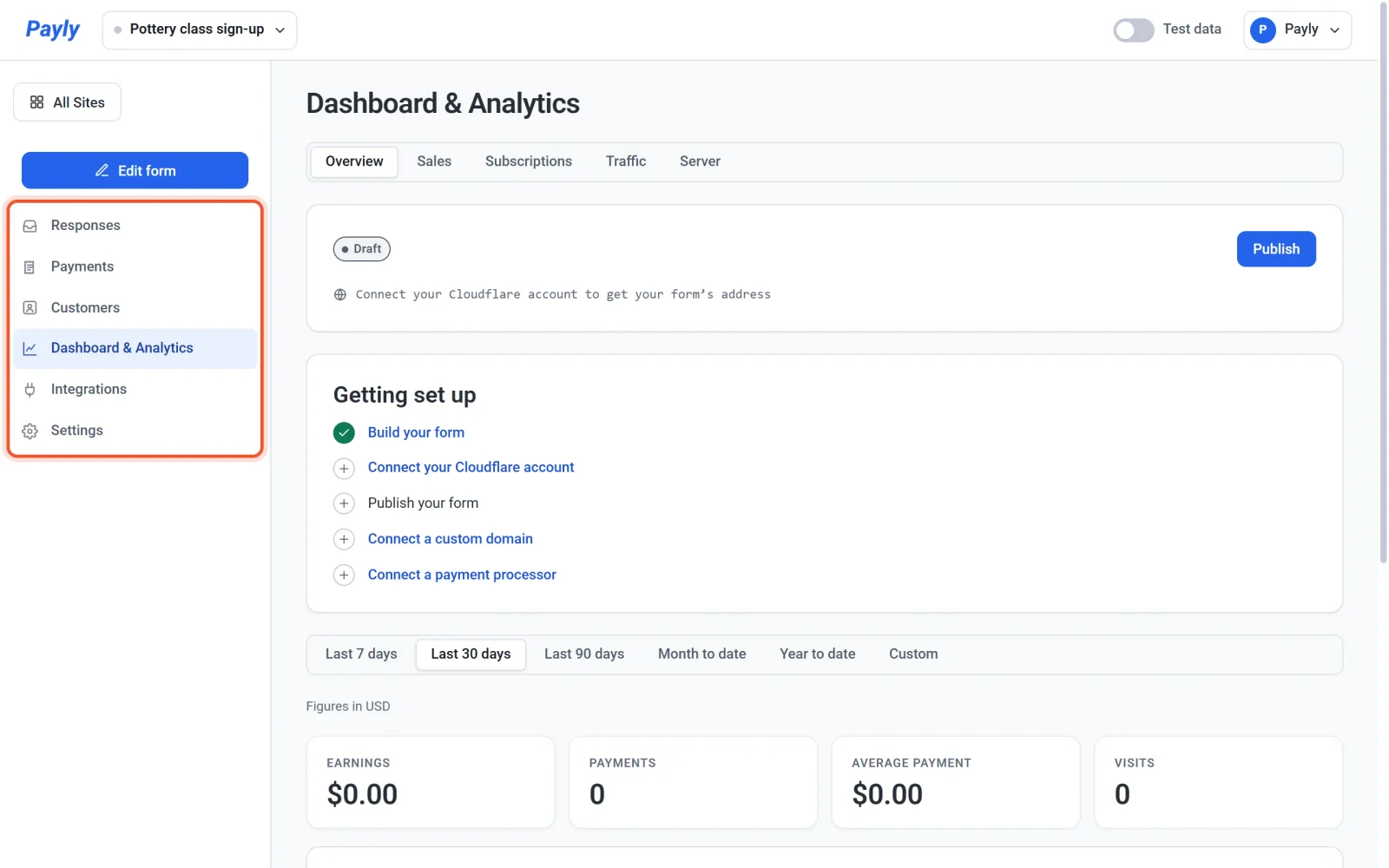
A form's left menu is shorter than a store's:
- Edit form opens the form builder.
- Responses shows what people sent. On a donation form or tip jar it is called Donations. See See and download responses.
- Check in appears when the form has a Tickets question, as event tickets do. See Check guests in at the door.
- Payments lists every payment the form took, with its refunds. See Refund a payment.
- Recurring appears when the form charges on a schedule. It works like Subscriptions in a store.
- Customers lists the people who paid. On a donation form or tip jar it is called Donors.
- Dashboard & Analytics shows your earnings and visits, and the Getting set up list.
- Integrations has analytics and ad pixels, live chat, email marketing, site verification and webhooks. It has no sales channels or ShipStation, because a form has no products to share or ship.
- Settings has General, Payments, Hosting, Domain, Emails, Team and Advanced. A form has no Shipping & Tax, Directory or Features tab.