
Monthly tips
Let people tip you every month: choose one-time, monthly or both, then see, pause or cancel each monthly tip under Recurring.
A monthly tip is a tip that repeats until the tipper stops it. It suits people who like your work and want to keep saying thanks without tipping again each time. PayPal or Stripe charges each tip on schedule, as a subscription in your own account, and the money goes straight to you.
Choose how often people can tip
The Monthly tips template offers monthly tips only, and Open source offers one-time and monthly. The other templates start with one-time tips only. You can change this in any tip jar.
- Open your tip jar's builder and click the question that shows the tip amounts.
- Find How often donors can give near the bottom of the question.
- Tick One-time, Monthly, Yearly or any mix. At least one must stay ticked.
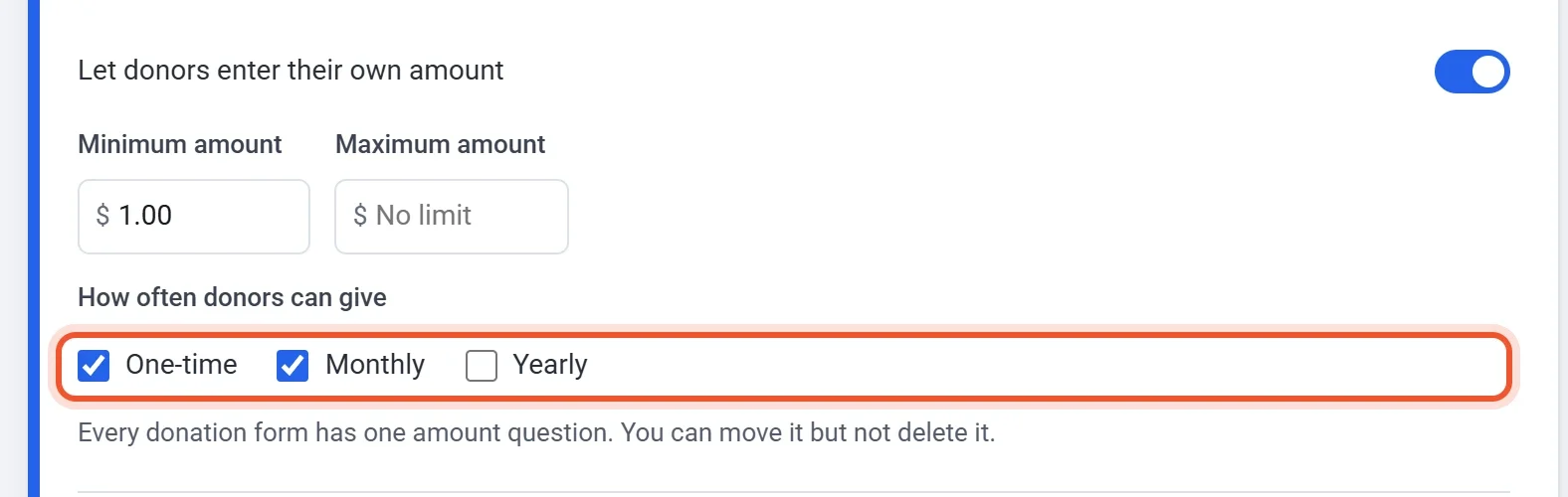
- Check the question's title. A title such as Choose your monthly tip suits a tip jar that is monthly only, and Choose your tip suits one that offers both.
When you offer more than one way to tip, the page shows a switch above the amounts. One-time is selected first, so someone who wants to tip once does not need to change anything. With a single way there is no switch, so say in the title or the line under your name that the tip repeats. A tipper who chooses monthly sees the total with its schedule, such as "$5.00 / month".
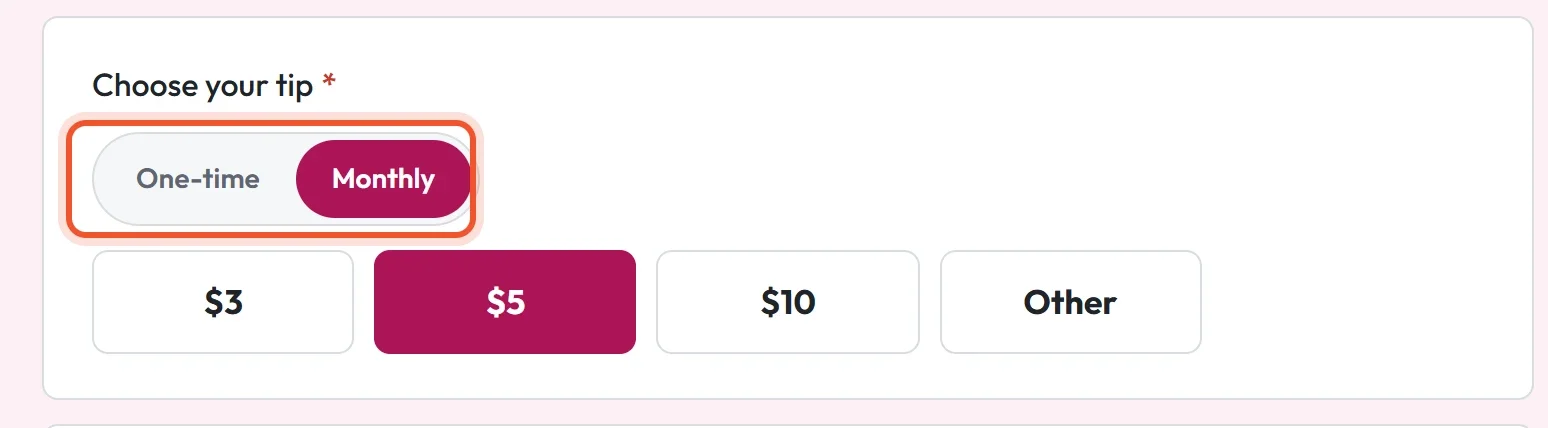
What a monthly tipper gets
- The first tip is charged when they pay. After that it is charged every month until they stop it. A yearly tip is charged every year.
- A receipt by email for the first tip, and another each time the tip renews.
- A sign-in link by email after they tip. It opens their account page on your tip jar's address, where they can see their payments and cancel a monthly tip. You can switch this email off under Settings > Emails (Sign-in link after a purchase), and tippers can still ask for a link from the account page.
See and manage monthly tips
- In your tip jar's dashboard, click Recurring. It appears once your tip jar offers monthly or yearly tips. The tabs sort tips into Active, Paused, Past due and Cancelled.
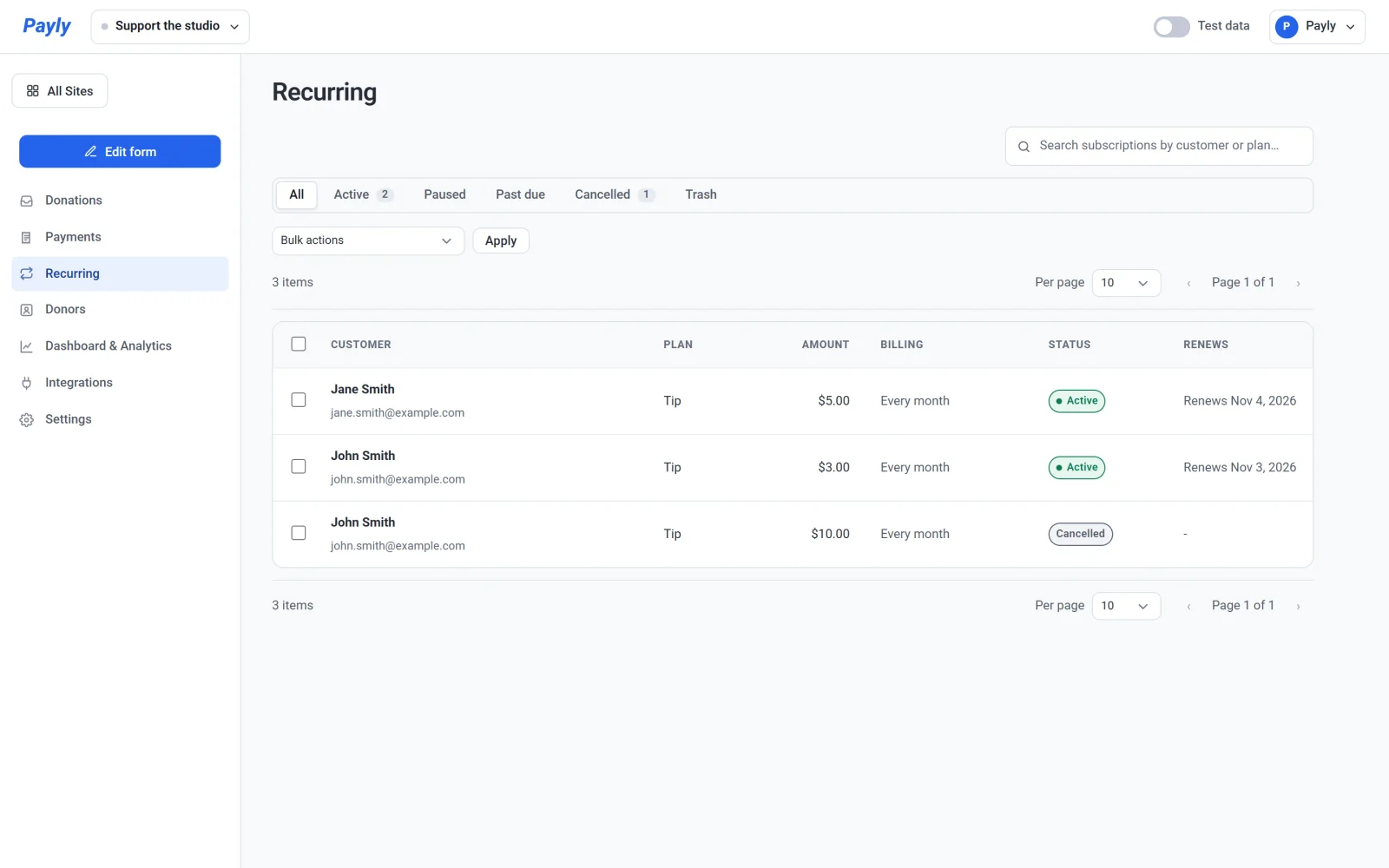
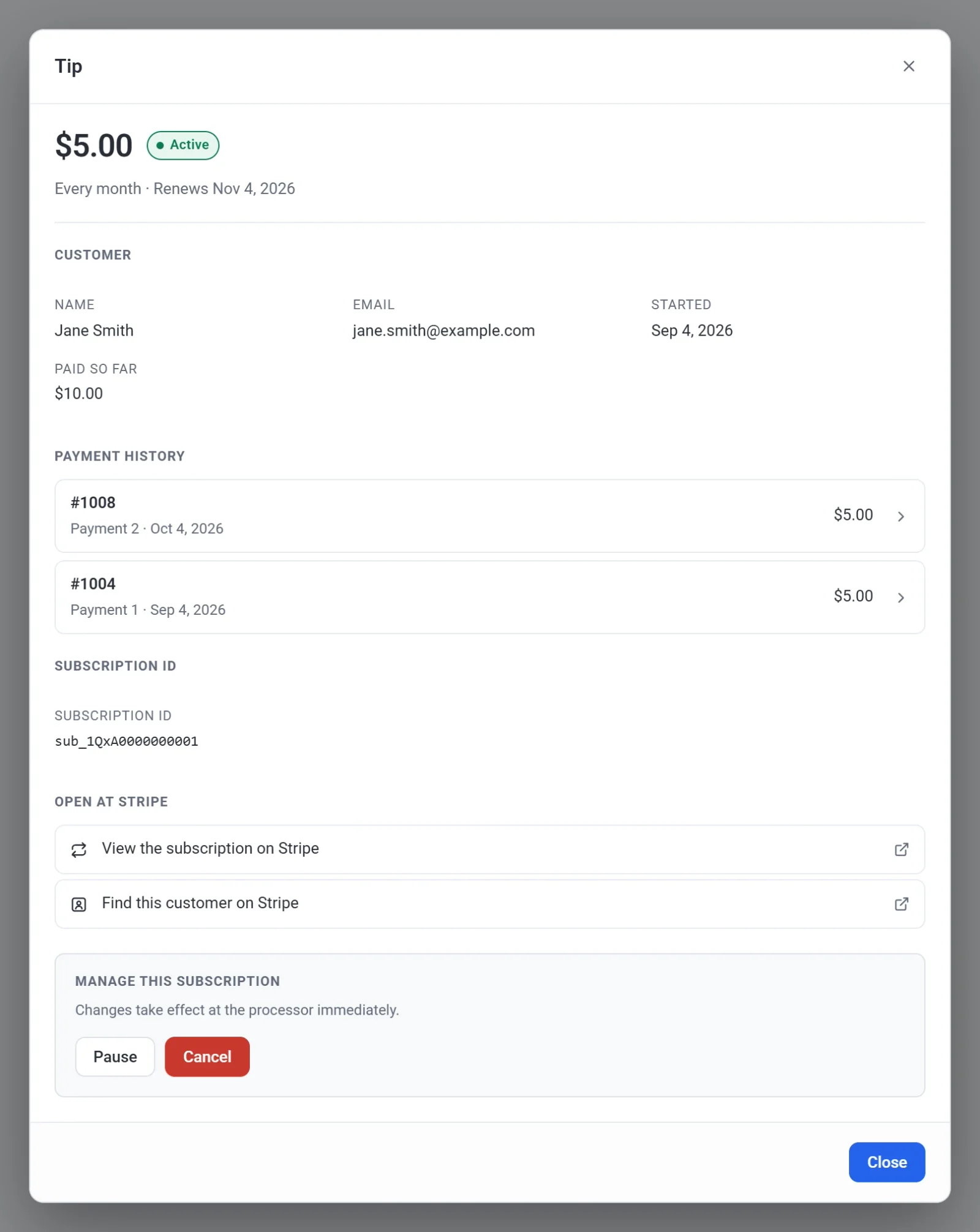
- Click a tip to open it. You see who started it, what they have paid so far, each payment, and links to the subscription at Stripe or PayPal.
- To stop a tip, click Cancel under Manage this subscription, then confirm. The tip stays active until the date shown, then stops renewing. The tipper is not refunded.
- To hold the charges for a while, click Pause. Click Resume to start them again.
If a renewal payment fails, the tipper gets an email that says when PayPal or Stripe will try again and that nothing has been cancelled, and the tip shows as Past due. Every monthly payment is also listed under Payments, where you can refund it: see Refund a payment. The Recurring screen works like Subscriptions in a store: see View and manage subscriptions.
Tip: PayPal and Stripe charge their fee on every payment, and the fee usually includes a fixed part, so a very small tip loses a larger share. To pass the fee on, turn on Let donors cover the processing fees in the Donations card on the builder's Settings tab.
A monthly tip is a thank-you, and it unlocks nothing. If you want levels and members-only posts, see Start a creator page.