
One-time, pay what you want or by quantity
Choose how a payment link charges: a set amount, an amount the payer types, a quantity the payer picks, and whether it is paid once or many times.
When you make a payment link, you answer three questions: how much, how many and how often. Each answer is a choice in the New payment link window. This article explains each choice and what payers see.
Choose the amount
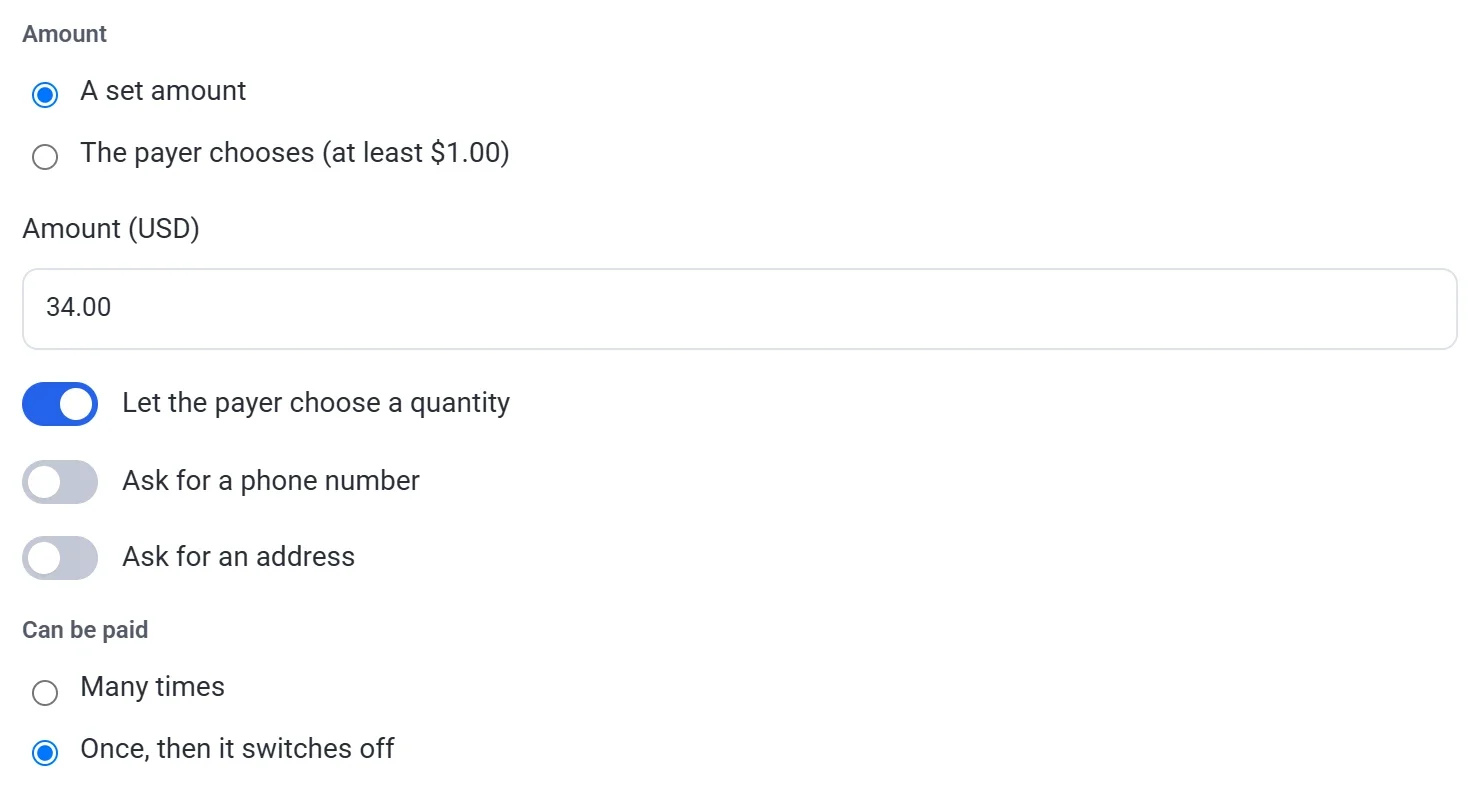
Under Amount, pick one of two options. Either way, a payment can be from $1.00 to $999,999.99 in US dollars. The window always shows the smallest amount for your currency.
A set amount
You type the price in the Amount (USD) box, and every payer pays exactly that. Payers cannot change it. Use it for a deposit, a class fee or anything else with a fixed price.
The payer chooses
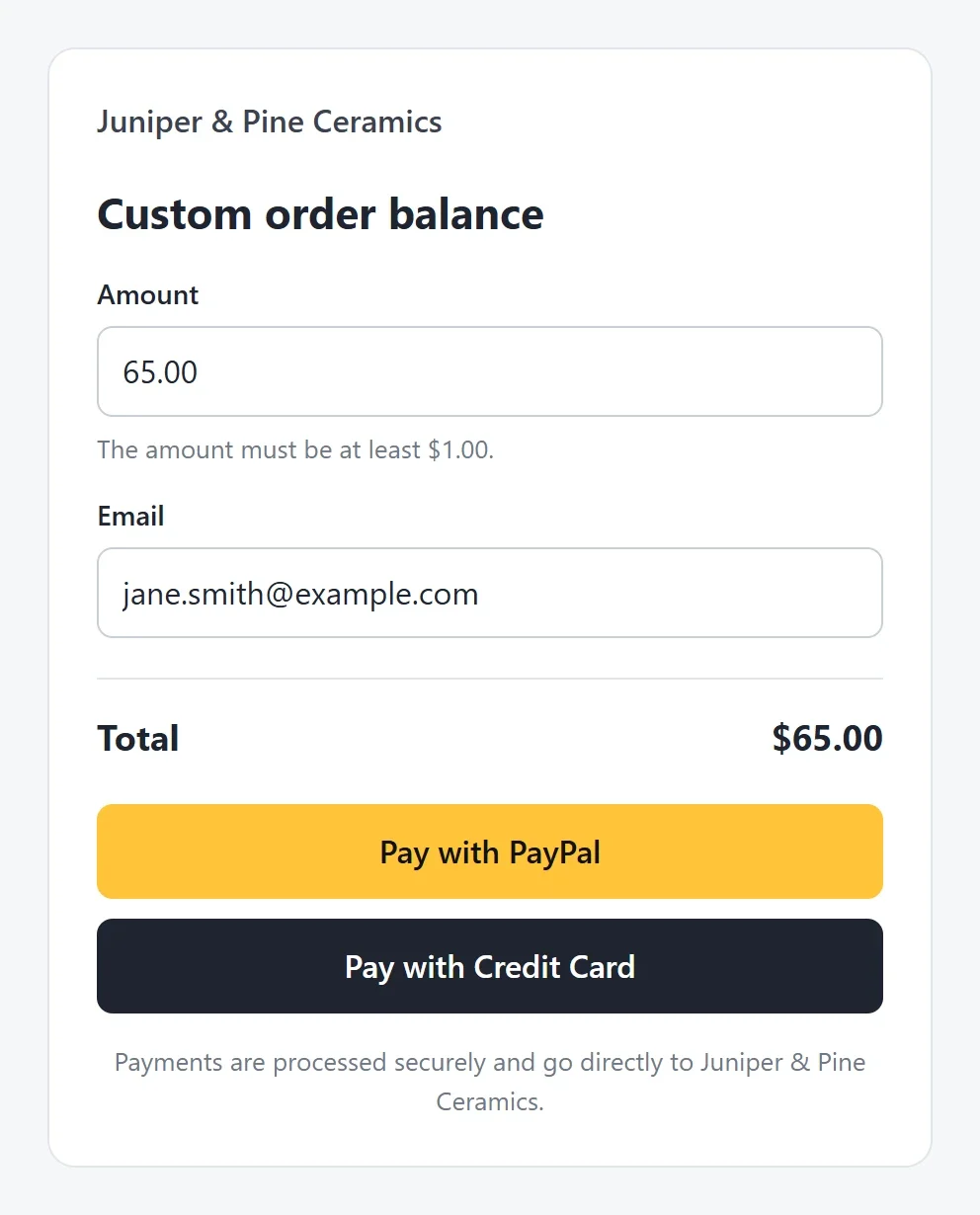
Choose The payer chooses (at least $1.00), and the payer types the amount. This is often called pay what you want. Use it for a bill that changes, the balance of a custom order, or any payment where you and the payer agree the amount first.
The page shows an Amount box, and the Total follows what the payer types. A payer who types less than the minimum is asked to enter more.
Note: Amounts are in the currency set in Settings > General > Currency, which starts as US dollars. A link keeps the currency it was made in, so changing the setting later does not change links you already sent.
Let the payer choose a quantity
With a set amount, you can let payers buy more than one. Turn on Let the payer choose a quantity. The page then shows a Quantity box, from 1 to 99, and the Total becomes the price times the quantity. This switch is not offered when the payer chooses the amount.
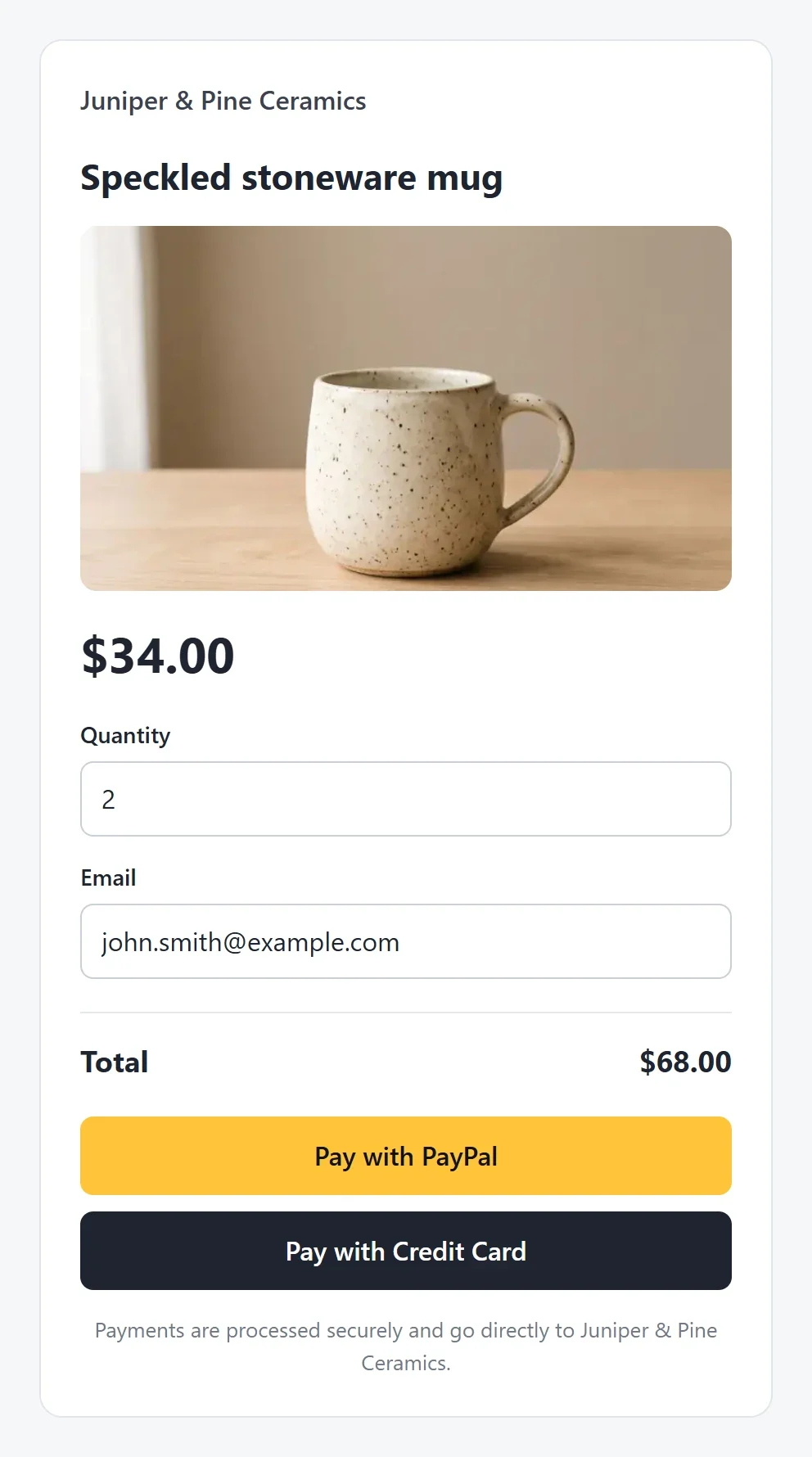
A payment link does not keep count of stock, so it never stops at the number you have. If you need to count stock, sell the product in a store instead.
Choose how often it can be paid
Under Can be paid, choose how many payments the link takes.
Many times
The link keeps taking payments, from one person or from many, until you switch it off. Use it for a standing price, such as a class fee or a product you sell often. Each payment adds to Times paid and Total on the Payment links screen.
Once, then it switches off
Use it for one bill, one deposit or one order. This is what happens:
- When a payer clicks Pay with PayPal or Pay with Credit Card, the link is held for that payer for 30 minutes. If anyone else tries to pay in that time, the page says "Someone is paying with this link right now. Please try again in a few minutes."
- When the payment goes through, the link switches itself off. Its page says "This payment link has already been paid." and its row on the Payment links screen shows a Paid label.
- If the payer does not finish, the hold ends after 30 minutes and the link can be paid again.
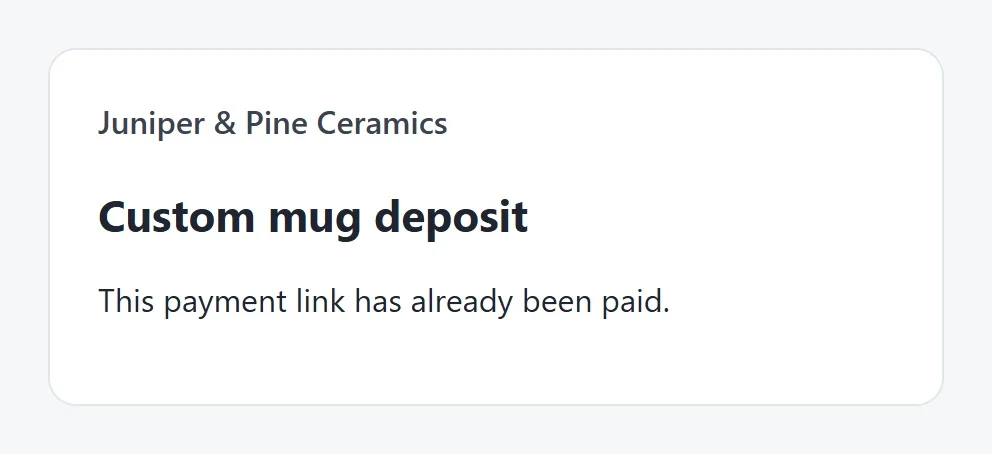
A paid link stays switched off. To take another payment, make a new link.
Which choices fit
| You want to | Choose |
|---|---|
| Take a deposit or fee that is always the same | A set amount, paid many times |
| Bill one person for one thing | A set amount, paid once |
| Take a payment whose size the payer decides | The payer chooses |
| Sell several of the same item | A set amount with a quantity |
Change a link later
On the Payment links screen, click a link's name, change any of these choices, and click Save. The page changes right away, and there is nothing to publish. A payer who opened the page before your change is asked to reload it before paying, so nobody is charged an amount they did not see.
What a payment link does not do
- It takes one payment at a time. It cannot charge every month. For payments on a schedule, use a payment form with recurring payments.
- It adds no tax, shipping or discount codes. Include anything extra in the amount you set.