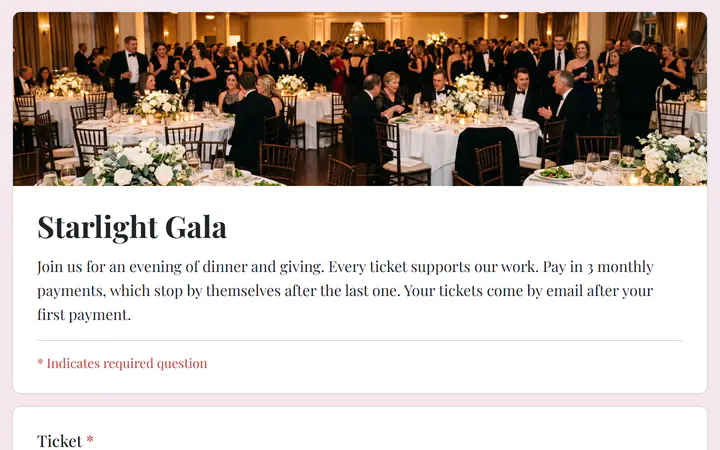
Single seats and tables of 8
Sell seats one by one and whole tables as separate ticket types, each with its own price and number available. Offer only as many tables as your room holds.
Gala tickets, free
Offer single seats and tables of 8, ask for every guest's name, and let companies pay in installments. Payments go to your organization's own PayPal or Stripe account.
Start buildingList each seat and each table as its own ticket type with a price and a quantity. Ask the buyer for the name of everyone at a table. Take payment by card or PayPal, close sales on a set date so you know your head count, and keep the guest list for check-in. Any ticket page that does these things will work.
Sell seats one by one and whole tables as separate ticket types, each with its own price and number available. Offer only as many tables as your room holds.
A question asks for the name of everyone at a table. Add questions for a company name or dietary needs. Every answer is in Responses, which you can download as a CSV.
A company can pay for a table in 3 monthly payments. The tickets come by email after the first payment, and the payments stop by themselves after the last one.
Start from the Charity gala template, then make it yours.
In Your sites, click New, choose Event tickets and pick Charity gala. It comes with single seats, tables of 8 and a question for your guests' names. Change any of it.
Give each ticket a price and a quantity, such as the number of tables your room holds. For installments, set each price for one payment: three payments of $50 come to $150.
Connect PayPal or Stripe and publish to your own free Cloudflare account. Share the link, or print the QR code from Settings on a poster.
$0
Completely free - no paid plan, no transaction fees, no commission
PayPal and Stripe charge their standard processing fees, as they would on any platform.
How can this possibly be free?Start from one of these and change anything you like, or start from scratch.
Single seats and tables of 8 in 3 monthly payments, with the names of your guests.
No. Assigned seats are not supported. Ask for each guest's name, then seat everyone yourself from your list of responses.
Yes. In the builder's Settings, set Close on under Responses. After that moment the page shows your closed message instead of taking orders. You can also set sale dates on each ticket type, for an early bird price.
No. Write them in the event's description, under its title. Each ticket shows its type, its code and a QR code. Sell tickets to an event goes through the steps.
Refund the payment from the Payments screen. A full refund puts that order's tickets back on sale, so you can sell them again, and Check in turns the ticket away. A partial refund keeps the tickets.
Yes. There is no monthly fee, no transaction fee and no paid tier. PayPal and Stripe charge their standard processing fees on each payment, as they would on any platform. How can this possibly be free?
Make any of these from the same dashboard and get paid through your own PayPal or Stripe account. Payly takes no fees from any of them.
Your event, your payment account, your guests. The only thing you pay is normal PayPal and Stripe processing fees.
Start buildingNo credit card · No paid tier · No trials