One link for each unit
Make a link per unit, with the rent as a set amount that can be paid many times. Your list of links shows times paid and the total for each one.
Rent by link, free
Make a link for the rent, send it each month, and tenants pay by card or PayPal. The money goes to your own account, and Payly takes no fees.
Start buildingSend tenants a payment link: a web page for the rent that opens on any phone and takes a card or PayPal. The money goes to your own account. Pick a tool that adds no fee of its own, because PayPal or the card company still charges a processing fee on each payment.
Make a link per unit, with the rent as a set amount that can be paid many times. Your list of links shows times paid and the total for each one.
When the amount differs from month to month, choose The payer chooses. Tenants type what they owe, at least $1.00, once you have agreed the amount with them.
Tenants need no Payly account or sign-in. They open the link, type an email for the receipt and pay with PayPal or a card. You get an order email for each payment.
You make the link once. Tenants pay it each month.
In Your sites, click New and choose Payment link. For What it's for, type something like Rent, Unit 4B. Choose A set amount and type the rent.
Under Can be paid, pick Many times, so the same link takes every month's rent. Connect PayPal, Stripe or both on the Payments tab in Settings before you share it.
Click Copy link and paste it into an email, a text or your rent notice. Each payment appears under Payments with the tenant's email, and the tenant gets a receipt.
$0
Completely free - no paid plan, no transaction fees, no commission
PayPal and Stripe charge their standard processing fees, as they would on any platform.
How can this possibly be free?Start from one of these and change anything you like, or start from scratch.
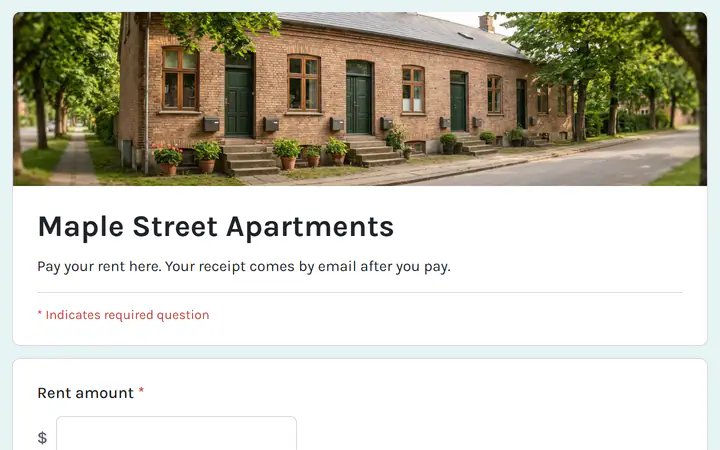
Tenants type the amount due and their unit.
No. A payment link takes one payment at a time and cannot charge every month, so you send it each month. For payments on a schedule, use a payment form with recurring payments.
A payment link asks only for an email, plus a phone number and an address if you switch them on. For a unit and a month, use a payment form. The Pay rent template has boxes for the rent amount, the unit or address and the month.
A payment link adds no tax, shipping or discount codes by itself. Include anything extra, such as a late fee, in the amount you set, or make a separate link for it.
Switch the link off with the switch in the On column, and anyone who opens it is told it is not active. Past payments stay under Payments. You can also delete the link, and the payments are still kept.
Yes. There is no monthly fee, no transaction fee and no paid tier. PayPal and Stripe charge their standard processing fees on each payment, as they would on any platform. How can this possibly be free?
Make any of these from the same dashboard and get paid through your own PayPal or Stripe account. Payly takes no fees from any of them.
Your link, your payment account, your customers. The only thing you pay is normal PayPal and Stripe processing fees.
Start buildingNo credit card · No paid tier · No trials