Tuition by the month or by the session
Charge every month until a student cancels, or stop after a set number of payments, such as eight weekly payments for an eight-week session. PayPal or Stripe makes each charge.
Class sign-ups, free
Students pick their class, answer your questions and pay on the same form. Tuition goes to your own PayPal or Stripe account, and Payly takes no fees.
Start buildingPut your classes, prices and sign-up questions on one online form that takes payment in the same step. Decide first how students pay: once for a session, or every month until they cancel. Ask what you need to place people, such as experience and injuries. Use a payment account of your own, like PayPal or Stripe, so tuition lands with you, and share one link or a printed QR code.
Charge every month until a student cancels, or stop after a set number of payments, such as eight weekly payments for an eight-week session. PayPal or Stripe makes each charge.
Ask 'Have you danced before?' or how long they have trained, and leave a box for injuries or anything else you should know. The answers sit in your Responses table.
A choice with no price is free. Offer a trial class beside your paid ones, and a student who picks only that sends the form with no payment.
You list the classes and prices. PayPal or Stripe collects each payment.
In Your sites, click New, choose Payment form and pick Dance classes. It has two classes and a Both classes choice. Rename them, set your prices and change anything else.
On the Settings tab, open Charge the total. The Dance classes template already charges every month. Pick once, every week or your own schedule, and stop after a set number of payments if you want.
Your form runs on your own free Cloudflare account. Share the link, or print the QR code for your front desk. Each student gets a receipt by email.
$0
Completely free - no paid plan, no transaction fees, no commission
PayPal and Stripe charge their standard processing fees, as they would on any platform.
How can this possibly be free?Start from one of these and change anything you like, or start from scratch.
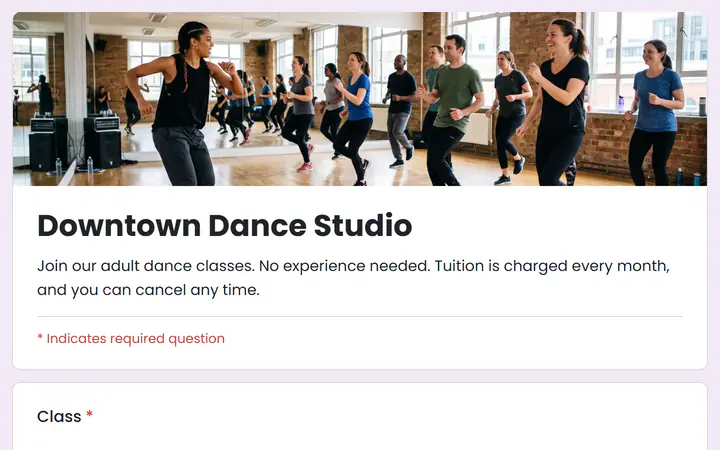
Monthly tuition for adult classes, charged every month.
Only for the whole form: close it after a number of answers. A cap on one class, such as the Tuesday hip-hop class, is not supported. For a separate cap on each class, make one form for each class.
No. A form has one schedule, because PayPal takes one subscription per checkout. Make one form for monthly tuition and another for drop-in classes or single workshops, which are paid once.
Each answer is one registration, so a second person means sending the form again. To sign up a pair in one go, offer a choice that covers it, such as Couple, with its own price.
Yes to both. On the Recurring screen, open a student's row to pause or cancel it. A cancelled schedule stops renewing at the end of the month already paid, with no refund. To send money back, refund the payment from the Payments screen.
Yes. There is no monthly fee, no transaction fee and no paid tier. PayPal and Stripe charge their standard processing fees on each payment, as they would on any platform. How can this possibly be free?
Make any of these from the same dashboard and get paid through your own PayPal or Stripe account. Payly takes no fees from any of them.
Your form, your payment account, your customers. The only thing you pay is normal PayPal and Stripe processing fees.
Start buildingNo credit card · No paid tier · No trials