Ask attendees what you need to know
The Conference template asks for each attendee's company and job title, and which sessions they will join. Add your own questions, such as dietary needs. Every answer is in your dashboard.
Conference tickets, free
Set early bird and regular prices, ask each attendee for a company and the sessions they will join, and scan QR codes at registration. Attendees pay your own PayPal or Stripe account, and Payly takes no fees.
Start buildingMake one registration page with a ticket type for each price, such as early bird and regular, and give each its own sale dates. Cap the total at your room's size, ask attendees for the details you need, and take payment into your own PayPal or Stripe account. Email every attendee a ticket with a QR code, and scan it at the door. Payly does all of this with no fee of its own.
The Conference template asks for each attendee's company and job title, and which sessions they will join. Add your own questions, such as dietary needs. Every answer is in your dashboard.
Give each ticket type its own sale dates, so the early bird price ends on its own date. Set an event capacity for your room, and tickets show Sold out when it is full.
Open Check in on phones or laptops, with no app to install. Several people can scan at once, and each ticket gets in only once. Download the guest list as a CSV.
You set the tickets and questions. Attendees register and pay on your page.
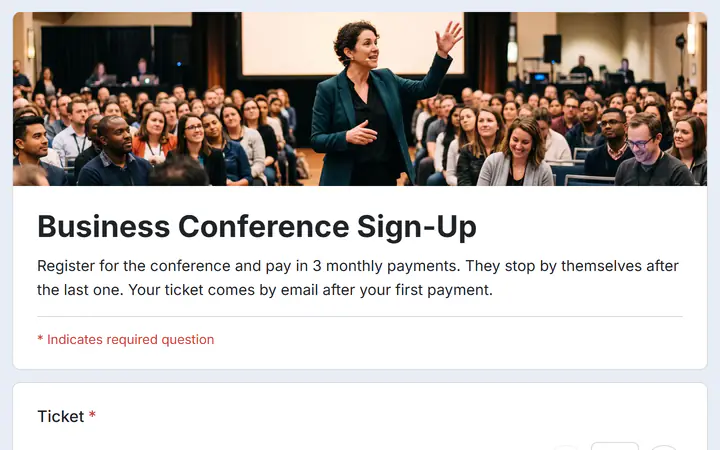
In Your sites, click New, choose Event tickets and pick Conference. You get early bird and regular tickets, company and job title questions, three sessions to pick and 3 monthly payments.
Change the names, prices and sale dates, and set an event capacity for your room. Write the dates and venue in the description, because tickets do not print them.
Your page runs on your own free Cloudflare account. Share its link, or print its QR code on a poster. Attendees get their tickets by email.
$0
Completely free - no paid plan, no transaction fees, no commission
PayPal and Stripe charge their standard processing fees, as they would on any platform.
How can this possibly be free?Start from one of these and change anything you like, or start from scratch.
Early bird, regular and student tickets in 3 monthly payments, with sessions to pick.
No. Limits are for each ticket type and for the whole event, so a cap on seats in one session is not supported. Responses does count how many people picked each session, so you can plan your rooms.
Yes. Set Most per order as high as 100, and one buyer can get a whole group's tickets in one order. Each ticket has its own code and QR code. Add a question for the attendees' names, and their answers show in Responses.
No. Check in needs an internet connection, because every scan is checked as it happens. Test the connection at your venue before the day, and download the guest list as a CSV to keep a copy.
Refund the payment from the Payments screen. A full refund puts the ticket back on sale, and Check in turns the refunded ticket away. A partial refund keeps the ticket.
Yes. There is no monthly fee, no transaction fee and no paid tier. PayPal and Stripe charge their standard processing fees on each payment, as they would on any platform. How can this possibly be free?
Make any of these from the same dashboard and get paid through your own PayPal or Stripe account. Payly takes no fees from any of them.
Your event, your payment account, your guests. The only thing you pay is normal PayPal and Stripe processing fees.
Start buildingNo credit card · No paid tier · No trials