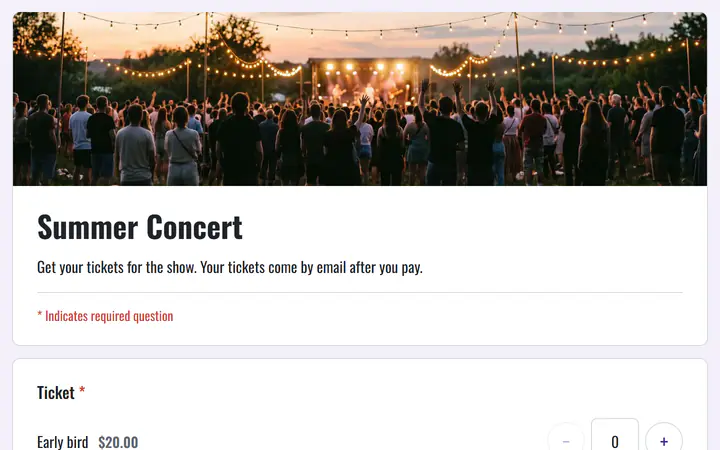
Early bird, general and VIP
The Concert template starts you with early bird, general admission and VIP tickets, such as front row and meet and greet. Change the names and prices, and let the early bird end on its own date.
Concert tickets, free
Put your gig's tickets on one page, give every guest a QR code, and scan them at the door. Payments go to your own PayPal or Stripe account, and Payly adds no fee.
Start buildingA payment through PayPal or Stripe always carries that company's processing fee, and that cannot be avoided. What you can avoid is a second fee from the ticketing tool. Pick one with no per-ticket or monthly fee, and have buyers pay your own PayPal or Stripe account, so the money goes straight to you. Payly works this way.
The Concert template starts you with early bird, general admission and VIP tickets, such as front row and meet and greet. Change the names and prices, and let the early bird end on its own date.
After picking tickets, guests can add a tour T-shirt. If they say yes, they go to a page that asks their size. Put a price on the shirt and it is added to the total.
Invite door staff as team members, so several people can scan at once and no ticket gets in twice. Viewers, such as a venue manager, can see the guest list and how many are in.
You set up the show. PayPal or Stripe collects each payment.
In Your sites, click New, choose Event tickets and pick Concert. You get early bird, general admission and VIP tickets, and a tour T-shirt page.
Set each ticket's price and quantity, a capacity for your room, and when the early bird ends. Write the date, doors time and venue in the description.
Connect PayPal or Stripe, then publish to your own free Cloudflare account. Share the link, or download the QR code for a poster. Guests get their tickets by email.
$0
Completely free - no paid plan, no transaction fees, no commission
PayPal and Stripe charge their standard processing fees, as they would on any platform.
How can this possibly be free?Start from one of these and change anything you like, or start from scratch.
Several pages: early bird, general admission and VIP, then a tour T-shirt in your size.
No. Assigned seats are not supported. Sell tiers such as general admission and VIP, give each its own quantity, and set a capacity for the room so sales stop when it is full.
Check in does not work offline. It runs in a browser on a phone, tablet or computer, and every scan is checked with Payly as it happens, so make sure your device has a connection at the venue.
Make one event for each show, so every date has its own tickets, limits and guest list. Each event runs in your own Cloudflare account, and its free plan holds up to 100 events and forms, fewer if the account also holds stores.
On the Check in screen, find them in the guest list by name, email or code, and click Resend tickets. The button shows for guests who gave an email address.
Yes. There is no monthly fee, no transaction fee and no paid tier. PayPal and Stripe charge their standard processing fees on each payment, as they would on any platform. How can this possibly be free?
Make any of these from the same dashboard and get paid through your own PayPal or Stripe account. Payly takes no fees from any of them.
Your event, your payment account, your guests. The only thing you pay is normal PayPal and Stripe processing fees.
Start buildingNo credit card · No paid tier · No trials